n8n Social Media Approval: Review AI Posts Before Publishing
AI writes social posts fast, but publishing unreviewed risks your brand. The n8n content approval workflow that adds human review before posts go live.
By Iiro Rahkonen on
TL;DR: AI can draft a full week of social media posts in under two minutes. Publishing without human review is a brand risk you cannot reverse. This article walks through an n8n content approval workflow that inserts a human review gate between AI generation and publishing: brand voice, sensitivity, facts, editable fields, multi-platform review, risk-based routing, and where Humangent fits.
An n8n workflow can generate a LinkedIn post that confidently references a product tier you renamed two months ago. The AI did what it was told. The prompt was old. The post is queued to publish directly, no review step, because the workflow looks boring enough to trust. That is usually when it becomes interesting, in the finance-meeting sense of the word.
Content approval belongs in the workflow, right before publishing. Generation is solved. A workflow connected to GPT-4 or Claude can turn a content calendar into a batch of platform-ready posts in about ninety seconds. The gap between "the AI wrote it" and "it is public" is where brand risk lives, and most automation content skips right over it like it saw an old colleague in the supermarket.
This post is about how to close that gap inside n8n. The pattern is tool-agnostic: you can assemble it from what n8n gives you, from a DIY review surface, or from the approval-control direction Humangent centers on. The tradeoffs matter, because the first version of every approval workflow looks simpler than the fifth.
Why AI-generated social content needs human review
Language models produce text that looks correct. Whether it actually is correct requires judgment the model does not have. Here are the failure modes that matter most for social content.
Brand voice erosion. Your AI prompt produces on-brand posts during week one. By week four, the output drifts toward generic LinkedIn default. "Thrilled to announce." "In today's rapidly evolving landscape." A reviewer who knows your voice catches the drift before your audience notices.

Sensitivity blind spots. LLMs process statistical patterns, not social context. A model does not know that referencing a layoff wave as a "hiring opportunity" will read as callous, or that a joke landing well in one market will offend in another. A human reviewer can read the room. The model cannot, because there is no room in a training corpus.
Factual inaccuracy. The AI references a product feature you sunset last quarter. It cites a retracted study. It mentions a partnership that ended. Social posts are short, so every fact carries weight and every wrong fact is visible to thousands of people who know better.
Platform rule violations. Fifteen hashtags on Instagram in 2026 trigger spam filters. A "tweet" at 350 characters does not fit on X. A caption describing one image paired with a different creative asset confuses the audience. A reviewer catches these mechanical errors in seconds.
Legal and competitive exposure. The AI names a competitor in a way that reads like a comparative claim. It implies a product guarantee. It references unannounced pricing. On social media, these are not buried in a PDF. They are public, quotable, and screenshottable.
The pattern is the same across all five. The AI produces plausible text. A human verifies whether plausible also means accurate, appropriate, and safe.
The n8n content approval workflow, step by step
If you already run an n8n social media automation workflow that generates posts, this pattern adds the review layer on top. You keep your generation logic and insert a gate before the publish step.
Trigger: content calendar or schedule
The workflow fires from whatever source drives your content plan. A Schedule Trigger that runs every Monday. An Airtable or Notion trigger when a row moves to "Ready for AI." A webhook from your campaign management tool. The trigger passes the topic, target platforms, messaging requirements, campaign hashtags, and the intended publish date.
AI generates platform-specific drafts
An OpenAI or Anthropic node receives the trigger payload and produces separate drafts for each platform. Your prompt should include platform constraints (character limits, hashtag norms), brand voice guidelines, and explicit rules: no competitor names, no unverified product claims, and a "[NEEDS VERIFICATION]" flag on anything the model is uncertain about. The output is structured JSON: one object per platform with post text, suggested hashtags, and any flags.
The review gate
Instead of routing the AI output directly to Buffer, Hootsuite, or a platform API, you route it to a human reviewer. The reviewer sees the original brief (topic, key message, campaign context, publish date), each platform variant displayed in context, any AI uncertainty flags, and the creative asset (image or video) if one is attached. The reviewer's job is validation, not creation. They are checking that the AI's output is on-brand, factually correct, and safe to publish.
Reviewer actions beyond approve or reject
A binary approve/reject gate breaks content review. If the LinkedIn post is perfect and the tweet is two characters over the limit, the reviewer should not have to reject the entire batch. Content review needs at least four actions:
- Approve: all variants are ready. Publish on schedule.
- Edit and approve: the reviewer modifies a caption, swaps a hashtag, trims character count, or rewrites an opening line directly in the review interface, then approves the corrected version.
- Reject with feedback: the post is fundamentally off. The reviewer adds specific notes ("use the Q2 pricing, not the old numbers" or "this feature is still not generally available, reframe the claim"), and the workflow loops the feedback back to the AI for a new draft.
- Reschedule: the content is good, but the timing is wrong. A competing announcement that day would bury it, or another team is publishing something that conflicts.
The "edit and approve" action is the one that makes the difference between a review process your team tolerates and one they actually use. More on that next.
Editable fields: fix posts before rejecting them
When a reviewer receives an AI-drafted social post, the draft is usually 85-90% right. The LinkedIn version is solid except for a generic opening line. The tweet works but a hashtag is off. The Instagram caption is fine except the call-to-action does not match the current campaign.
Without editable fields, the reviewer faces a bad trade-off: approve something imperfect, or reject it and wait for the AI to regenerate a draft that fixes the hashtag but changes the opening line that was already good.
Editable fields eliminate that trade-off. The reviewer clicks into the LinkedIn post, rewrites the first sentence, and approves. They trim two characters from the tweet. They swap a hashtag on the Instagram caption. Twenty seconds of editing beats a ten-minute reject-and-regenerate cycle with a worse draft at the end. Lovely little productivity lasagne.
A clarification on what is actually possible today. n8n's built-in Send and Wait for Response gives reviewers an editing interface. The Custom Form response type lets you surface the LinkedIn caption, the tweet, the Instagram caption, and the hashtag list as separate editable form fields, pre-filled with the AI draft.
So the editable-fields part is solved on a single workflow without DIY. What native Send-and-Wait does not solve for content review at scale: routing each platform variant to the right reviewer, a single inbox across campaigns, escalation if the launch window is closing, reviewer accounts where each person picks how they get pinged, and an audit trail of who edited which hashtag when. Those are the specific gaps Humangent centers on -- not field editability itself.
The published version is what the reviewer approved. The AI's original draft belongs in the audit log, not in the feed. Over time, the edit patterns tell you where your prompts need improvement. If the reviewer always rewrites opening lines, your prompt needs better opening-line instructions. If hashtags get swapped on every Instagram post, your hashtag strategy needs rethinking. The review step catches errors now and generates data that reduces errors later.
Multi-platform considerations
The same topic requires different treatment on LinkedIn, X, and Instagram. Your review process needs to account for those differences, either by showing each variant clearly labeled or by routing platform variants to different reviewers.
LinkedIn rewards substantive, professional content. The reviewer for LinkedIn posts might be a senior marketer or subject-matter expert who can verify that the thought leadership angle is credible and accurate.
X (Twitter) is about compression and timing. The reviewer checks that the post is sharp, that brevity has not introduced inaccuracy, and that it does not accidentally intersect with a trending conversation in the wrong way.
Instagram is visual-first. The reviewer must see the caption alongside the image or video to verify alignment. A caption about product innovation next to a stock photo of a generic handshake undercuts the message.
You can route all variants to a single reviewer who evaluates each in its platform context. Or you can route different platforms to different reviewers, your brand lead reviews LinkedIn, your social media manager reviews X and Instagram. The routing is a simple IF-node branch in n8n, or a rule in whatever review tool you use.
Risk-based routing: not every post needs the same scrutiny
A reshare of a partner's blog post does not carry the same risk as an original take on an industry controversy. Treating both with equal rigor wastes reviewer time and creates a bottleneck. Build routing rules around content risk level:
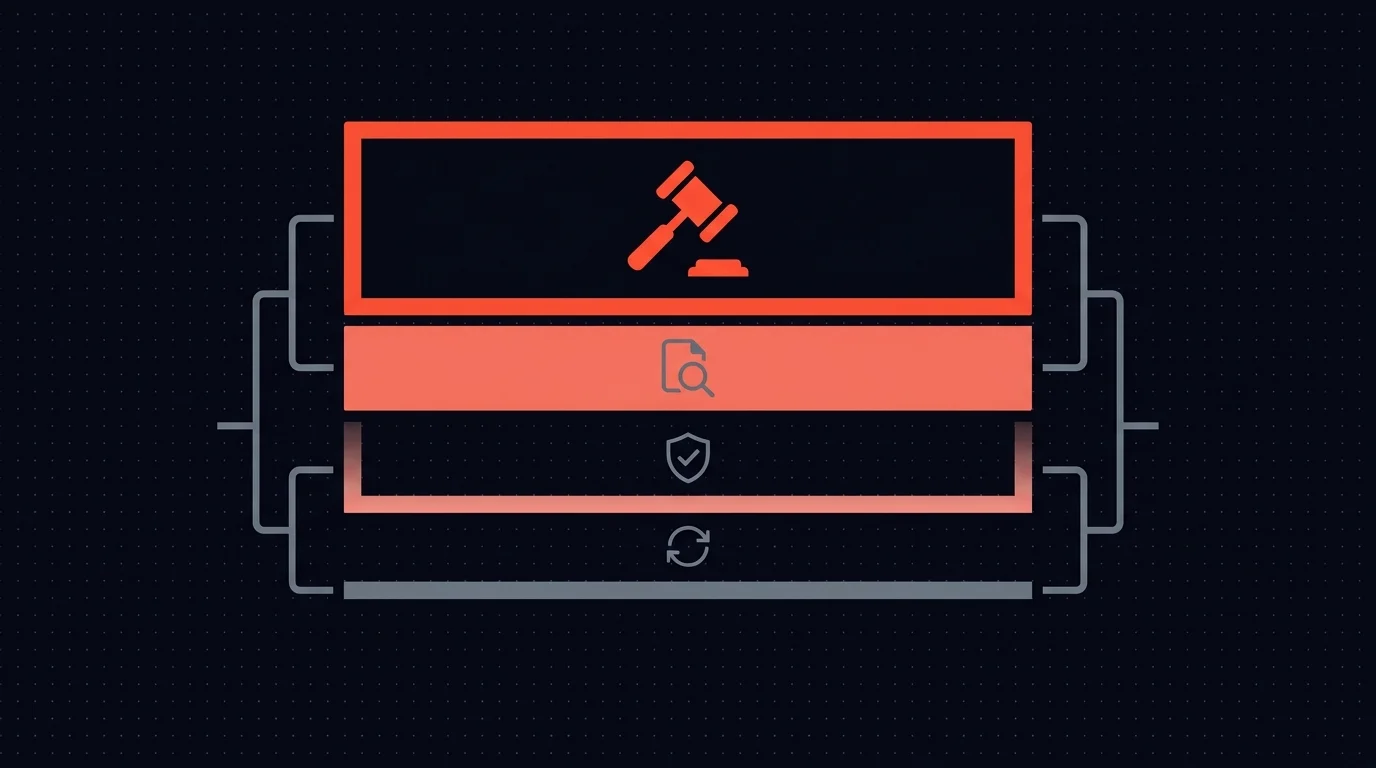
Low risk (auto-approve or lightweight review). Reshares of pre-approved content. Event reminders with no original commentary. Internal milestone announcements using pre-approved templates.
Standard review. Original posts on routine topics: product updates, blog promotion, team highlights, practical tips. These go to your social media manager with a normal response window.
Senior review. Thought leadership, opinion pieces, anything where the company takes a public position. Route these to a marketing director or VP. Higher stakes, more experienced reviewer.
Legal review. Any post that names a competitor. Any post referencing pricing, contracts, or partnerships. Anything that could be interpreted as a guarantee or commitment. Route to legal or compliance before it reaches the social media reviewer.
This tiered model keeps routine content flowing while ensuring that high-risk posts get the scrutiny they need. In n8n, you can drive the routing with a Switch node keyed on a risk field that either the AI classifies up front or the content brief carries from the source.
Timeouts and escalation: social content cannot sit in a queue
Social media content is perishable. A post timed for a product launch that sits in a review queue for two days misses the moment entirely.
Set timeouts that match the urgency:
- Campaign posts with a hard date: 4-hour timeout, then escalate to the marketing director.
- Evergreen content: 24-hour timeout, then escalate to a backup reviewer.
- Newsjacking or trending topic posts: 1-hour timeout. If nobody reviews it in an hour, the window has closed and the post should expire, not escalate.
One rule matters above all others: a timed-out post should escalate or expire. It should never auto-publish. The post that skips review is, by definition, the post nobody looked at. Letting it auto-publish defeats the purpose of the entire review workflow.
In n8n, Wait for Webhook takes a timeout parameter. Whatever review surface you use has to decide what happens when the timer runs out, re-notify the same reviewer, route to a backup, or fail the branch so the post expires. Build that decision explicitly. The default (silent hang) is the worst option.
Where to start
You do not need to review every social post from day one. Start with the content that scares you most:
- Original thought leadership where your company expresses an opinion.
- Anything referencing current events, competitors, or pricing. The highest-risk categories.
- First posts on a new platform where you are still establishing brand voice.
- Campaign launch content that will be amplified with paid spend and seen by a large audience.
Once the review workflow is running, use the edit history to tighten your prompts. The review step catches mistakes now and generates the data you need to make fewer mistakes later.
Where this leaves you today
Here is the honest state of the tooling.
You can build this pattern in n8n right now with HTTP Request + Wait for Webhook + a custom review UI. Spin up a small web app (or a Retool/Airtable form) that displays the AI drafts with editable fields, collect the reviewer's decision, and post it back to the webhook. It works. The tradeoff is you own the UI, the routing logic, the escalation timers, and the audit log. For one or two workflows, fine. For a team running content on three platforms with tiered reviewers, that maintenance burden grows fast.
Humangent is the approval control layer for n8n workflows, with content approval as one use case: routing by platform, inline editing of captions and hashtags, scheduled publishing integration, escalation chains for time-sensitive campaigns, and an audit trail that answers "who approved this post and what did they change."
If your content pipeline is the thing that keeps you up at night, that is exactly the use case early access should pressure-test.
Frequently asked questions
Does reviewing every post defeat the purpose of AI automation? No. The AI still does the heavy lifting: generating platform-specific variants, structuring posts, adapting tone. A reviewer spending twenty seconds per post to verify accuracy is a fraction of the time it takes to write from scratch. The automation makes your team faster. The review keeps it safe.
What if the reviewer is a bottleneck? Risk-based routing helps. Low-risk content (reshares, templates, event reminders) can skip review or go through a lightweight check. Reserve full review for original content and high-stakes posts. Combine this with timeout escalation so nothing sits unreviewed past its deadline.
Can I use n8n's built-in Send-and-Wait for this? For a single workflow with one reviewer, yes -- and it goes further than people assume. Pick Slack, Gmail, Teams, Telegram, Discord, WhatsApp, or Chat as the channel. Choose the Custom Form response type, define editable form fields for the caption, hashtags, and decision, and pre-fill them with the AI draft. The reviewer edits in a browser form and submits.
Where it stops being enough: each platform variant going to a different reviewer means more nodes, the recipient is a hardcoded channel-specific ID per node, there is no inbox across workflows, the timeout is a single branch, and the audit trail is execution logs. Once your content workflow hits multiple platforms with tiered reviewers and time-sensitive launches, a dedicated review surface saves maintenance -- whether that is a DIY review UI or Humangent.
How do I measure whether the review step is working? Track three things. First, the edit rate: what percentage of AI drafts get modified before publishing. Second, the reject rate: how often posts go back for regeneration. Third, prompt improvement over time: a declining edit rate means your prompts are learning from past corrections. If the edit rate stays flat, your prompts are not adapting.
Should I wait for Humangent or build it now? Build the pattern now. The review gate is valuable whether you wire it up with a DIY UI or move the review handoff into Humangent. The useful architecture stays the same: a dedicated review step, then downstream approval branches.
Related guides
- How to build an n8n approval workflow — base approval patterns
- n8n AI email approval: review drafts before sending — same review pattern applied to outbound email
- Human-in-the-loop for n8n: complete guide — broader HITL context
If n8n is about to publish customer-facing content, Humangent is the approval control layer for n8n workflows — reviewers approve and edit AI-drafted posts before they go live; escalation handles tight publishing windows; every change lands in the audit. Join the waitlist at humangent.io. Founding-team pricing for waitlist members.
Related Humangent resources
Humangent is for teams using n8n that need approval routing, escalation, multi-level sign-off, editable review fields, and a decision record before a workflow writes into another system.
The core pattern is simple: n8n sends the request, the reviewer sees the context, the reviewer chooses or edits the decision, and n8n resumes from a callback with a record attached. That keeps approval logic out of fragile Slack threads and makes the human decision visible to the team that owns the outcome.
These guides cover where to place human checkpoints, how to handle timeouts, when to route to another reviewer, what to record for audit, and when n8n built-in approval options are enough. The goal is practical workflow control for teams past the prototype stage.
For simple one-reviewer workflows, n8n built-in approval options can be enough. The need for a separate approval control layer shows up when several workflows compete for the same reviewers, when a backup reviewer needs to take over on a deadline, or when the team lead needs to reconstruct the decision after the workflow has already written to another system.
Humangent centers on that team operating model: one reviewer account across workflows, configurable routing, and a decision trail that belongs to the approval process. No scattered execution logs and chat-message archaeology.