n8n AI Email Approval: Review Drafts Before Sending
AI email agents hallucinate facts and miss tone. Build an n8n approval workflow where a human reviews, edits, or rejects every draft before it sends.
By Iiro Rahkonen on
TL;DR: AI email agents in n8n draft fast but hallucinate facts, invent policies, and get the tone wrong. This post walks through an n8n approval pattern where every AI-drafted email passes through a human reviewer who can edit the subject and body before sending. Never auto-send on timeout.
An AI email workflow can look flawless right up to the moment it sends something expensive.
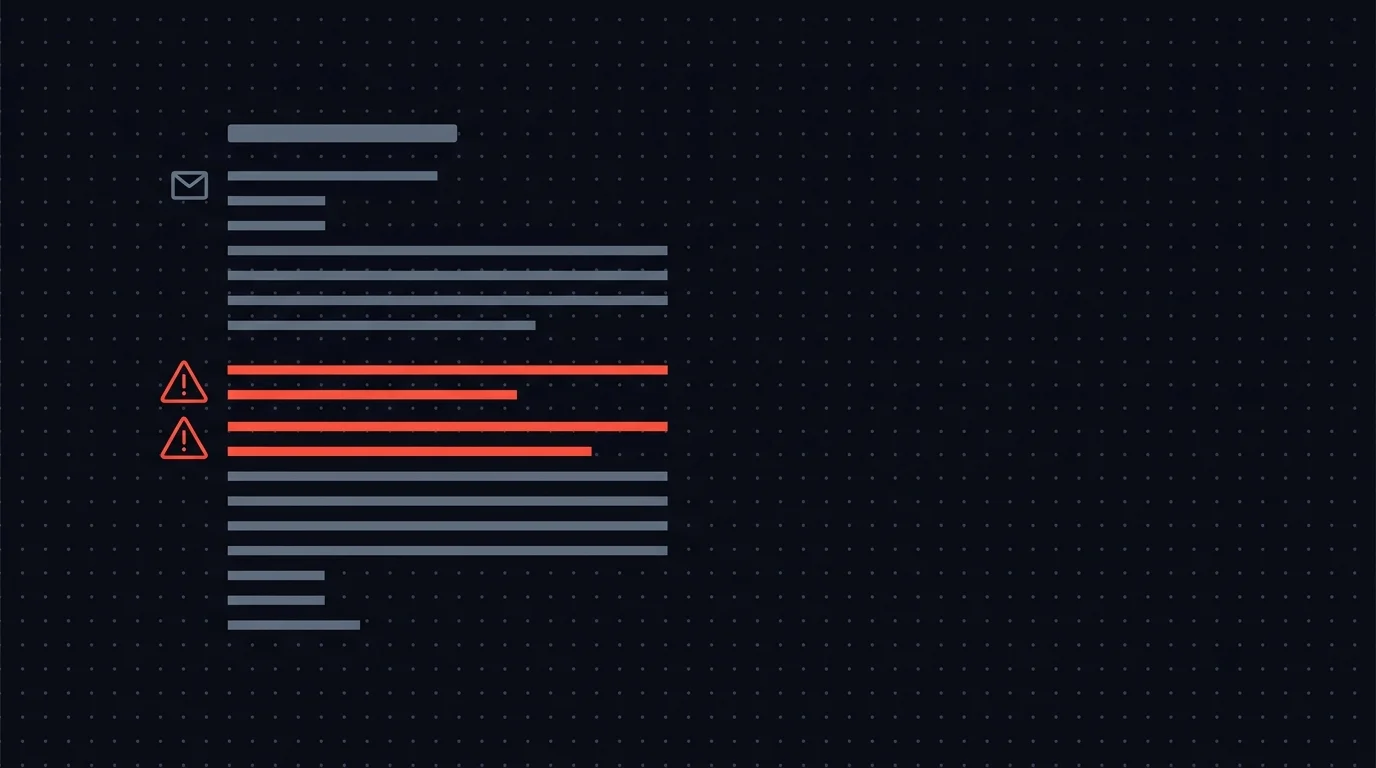
The draft is grammatical. The tone is warm. The customer name is right. Then one sentence invents a refund policy, references an old pricing tier, or promises a discount nobody approved. The email does not look broken. That is the problem. Bad AI emails usually arrive wearing a tie.
For customer-facing messages, "looks right" is not enough. The safe pattern is simple: n8n drafts the email, a human reviews and edits it, and only the approved version reaches the customer. Humangent is the approval control layer for n8n workflows, and this is one of the clearest places that approval control earns its keep.
Why AI email agents need human review
If you have been running LLM-powered workflows for more than a few days, none of this will be new. But it is worth listing out, because each failure mode looks correct at first glance.
Hallucinated facts. LLMs fill knowledge gaps with confident fabrication. Pricing, contract terms, feature availability, refund windows -- the model generates plausible details that do not match reality. In a customer email, a hallucinated fact becomes a commitment someone on your team has to walk back.
Tone mismatches. The same prompt that generates a friendly reply for a confused new user will generate that same friendly tone for a customer threatening to cancel. When the situation calls for seriousness, a model that defaults to cheerful makes things worse.
Stale or wrong context. Your workflow pulled the customer's name from a database, but it pulled the wrong account, or the data was out of date, or it merged two records. The email uses the wrong name, references a product the customer does not use, or congratulates them on a renewal that has not happened.
Legal exposure. In regulated industries, an AI-drafted email can make promises, waive rights, or disclose information that creates real liability. "Our AI wrote that" is not a defense anyone wants to test in front of a regulator.
Brand voice erosion. Over time, AI-generated emails smooth your brand voice into generic corporate prose. A reviewer who knows your communication style catches this. An auto-send pipeline does not.
These problems share one trait: they are invisible to automated checks. The email is grammatically correct, on-topic, and well-structured. The errors are semantic and contextual -- exactly the kind that requires human judgment.
The n8n email review workflow, step by step
Here is the pattern, concrete enough to build with tools you already have. Six steps from trigger to send.
Step 1: Trigger
The workflow fires when there is an email to send. Common triggers in n8n:
- New support ticket -- a customer submits a ticket, the workflow generates a reply
- New lead -- a prospect fills out a form, the workflow drafts personalized outreach
- Scheduled check-in -- a weekly follow-up, renewal reminder, or onboarding email
- System event -- an order ships, an invoice is generated, an account status changes
In n8n, this is a Webhook node, a Schedule Trigger, or a trigger from your CRM or ticketing tool (HubSpot, Zendesk, Freshdesk, etc.). The trigger passes along everything the AI will need: customer name, account details, ticket content, and conversation history.
Step 2: AI drafts the email
An OpenAI or Anthropic node takes the trigger data and generates a draft. Your prompt should include the customer name and account details, the specific situation or ticket, your company's email guidelines, and an explicit instruction to never fabricate facts beyond what the context provides.
A working prompt structure:
You are drafting a customer support reply for {{company_name}}.

Customer: {{customer_name}} ({{account_type}} plan)
Their message: {{ticket_body}}

Relevant knowledge base articles:
{{kb_results}}

Rules:
- Only reference policies and pricing from the provided context
- If you lack information to answer fully, say so explicitly
- Tone: helpful, direct, not overly casual
- Never invent features, timelines, or pricing
- If uncertain about any detail, flag it with [NEEDS REVIEW]

Output as JSON: { "subject": "...", "body": "..." }
The output is a JSON object with subject and body fields, plus optionally to, cc, and any metadata your workflow needs downstream.
Step 3: The review gate
This is where most AI email workflows end -- and where yours should not.
Instead of piping the AI output directly into a Gmail or SMTP node, you send it to a human reviewer. The reviewer should see:
- The original trigger -- the customer's ticket, the lead's form submission, the event that started the workflow
- The AI draft -- subject line and body, exactly as the AI wrote them
- Customer context -- account type, contract value, open issues, recent conversation history
- Uncertainty flags -- if your prompt asked the AI to flag uncertain details, those flags surface here
The reviewer gets everything they need to judge whether the draft is right: what the customer said, what the AI wants to say back, and enough context to spot problems.
Step 4: Reviewer actions
A simple approve/reject gate is not enough for email review. Real email workflows need more granularity:
- Approve as-is -- the draft is accurate and ready to send
- Edit and approve -- the draft is mostly right, but the reviewer rewrites the subject line, fixes a paragraph, corrects a name, or removes an inaccurate claim, then approves the edited version
- Reject with feedback -- the draft is too far off to salvage with edits. The reviewer adds notes ("wrong pricing tier -- use the 2026 rates", "too casual for this account"), and the workflow loops back to the AI with that feedback appended to the prompt
- Escalate -- this email needs a senior person, a legal review, or a manager's input before it goes out
If your review tool only supports approve or reject, reviewers get pushed into bad behavior. They approve drafts that need small fixes because rewriting is too much friction. Or they reject drafts that were 90% correct because there is no middle ground.
Both outcomes are bad.
Step 5: Send or loop
Based on the reviewer's action, the workflow branches:
- Approved (with or without edits): The final version goes to the Gmail or SMTP node. The workflow logs who approved it, what they changed, and when.
- Rejected with feedback: The workflow loops back to the AI node with the original context plus the reviewer's notes. The AI generates a new draft and it returns to the review gate. Cap this at two or three loops to prevent infinite cycles.
- Escalated: The workflow routes to a different reviewer -- a team lead, a compliance officer, whoever is appropriate -- with full context and the escalation reason.
Step 6: Audit trail
Every email that goes out should have a record: what triggered it, what the AI drafted, what action the reviewer took, what edits they made, and what was actually sent. This is not optional in regulated industries. It is good practice everywhere else.
The editable-fields idea: why approve/reject is not enough
This is the piece that separates a review workflow people actually use from one they route around.
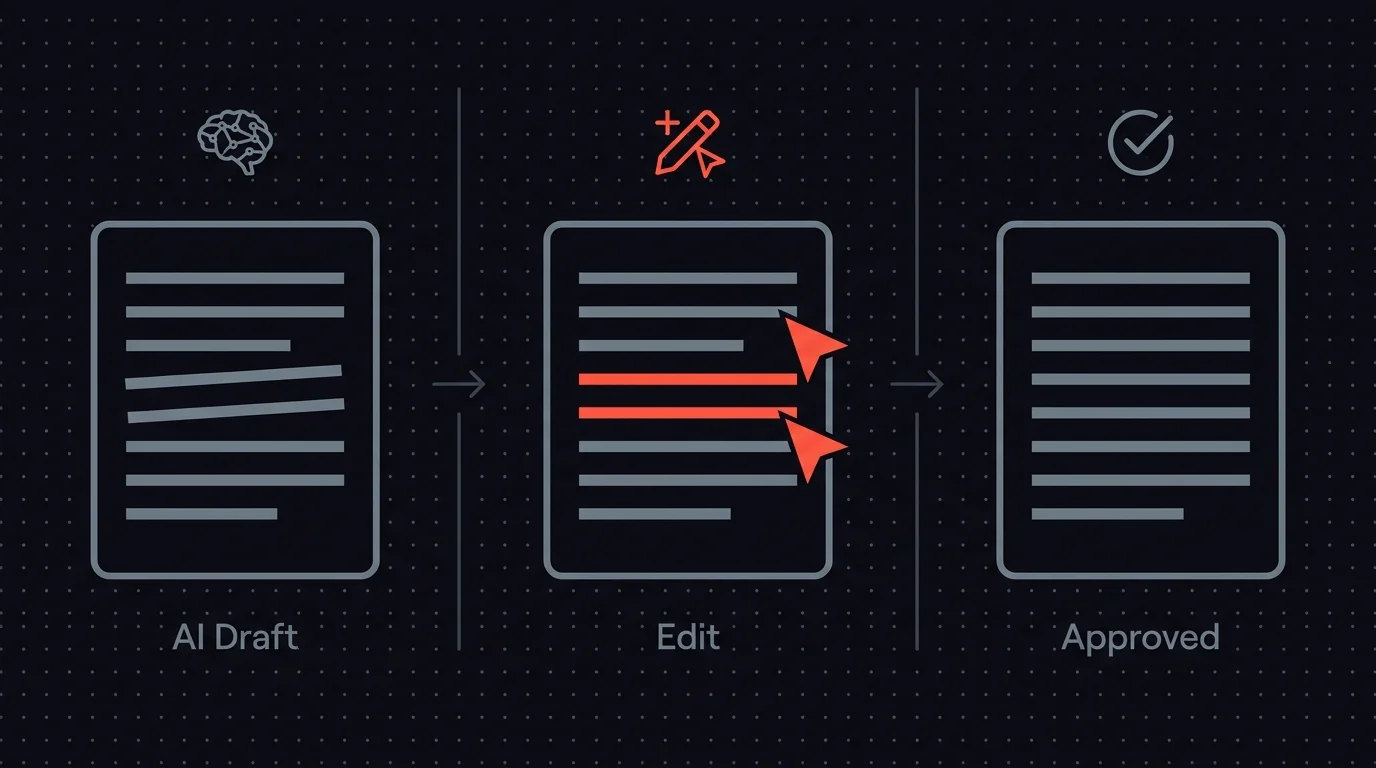
When a reviewer gets an AI-drafted email, the draft is typically 80-90% right. The structure is sound, the key information is there, but the subject line is too generic, or one sentence references an outdated policy, or the closing pushes too hard on an upsell.
If the reviewer can only approve or reject, they face two bad options: approve a flawed email, or reject it and hope the AI does better next time. Often it fixes the flagged issue and introduces a fresh one, because apparently the draft wanted a side quest.
The pattern that works is inline editing. The reviewer sees the email as a form: subject line in one field, body in another, recipient in another. They click into the subject line and rewrite it. They fix the one wrong sentence without touching the five correct paragraphs. They correct a name or add a CC. The edited version is what gets sent. The AI's original draft is preserved in the audit log.
The honest state of the world: n8n's built-in Send and Wait for Response supports inline editing through its Custom Form response type. You define fields (subject, body, recipient, decision dropdown, notes), pre-fill them with the AI's draft, and the reviewer edits them in a browser form before submitting.
So the editable-fields part is solved on a single workflow without writing a web app. What is not solved by the native node is the operational layer around it: every recipient is a channel-specific hardcoded ID, reviewers cannot pick their own preferred channel, there is no inbox across workflows, the timeout is single-step, and the audit trail is execution logs.
The ability to edit AI output inline matters either way. A reviewer who can make a quick edit and approve handles emails in 30-60 seconds. A reviewer limited to approve or reject spends minutes deliberating, or just approves everything to clear the queue.
That defeats the purpose of having a review step at all. Humangent centers on the layer above the form: reviewers as people who link their own Slack / Teams / Telegram / email and pick how they get pinged, a single inbox across every workflow, escalation as configuration, and an audit trail that records who saw the request, when, and what they edited.
Over time, comparing what the AI wrote versus what actually went out also gives you concrete data for improving your prompts. If reviewers keep rewriting subject lines, your subject line prompt needs work. If they keep correcting pricing references, you need better context injection. That feedback loop is part of the Humangent product model, not something every tool gives you today.
Timeout handling: never auto-send
Your AI drafted an email at 2:14 PM. It is now 4:30 PM and nobody has reviewed it. What should happen?
The wrong answer: send it anyway.
If you auto-send on timeout, you have built an approval workflow with a backdoor that guarantees the exact failures you were trying to prevent. AI drafts emails faster than humans review them. The review queue grows. Eventually the timeout fires on a bad email. You have built the system that sent it.
This is not a theoretical risk. It is the predictable outcome of any auto-send timeout on a busy queue.
The right answer: escalate, never auto-send.
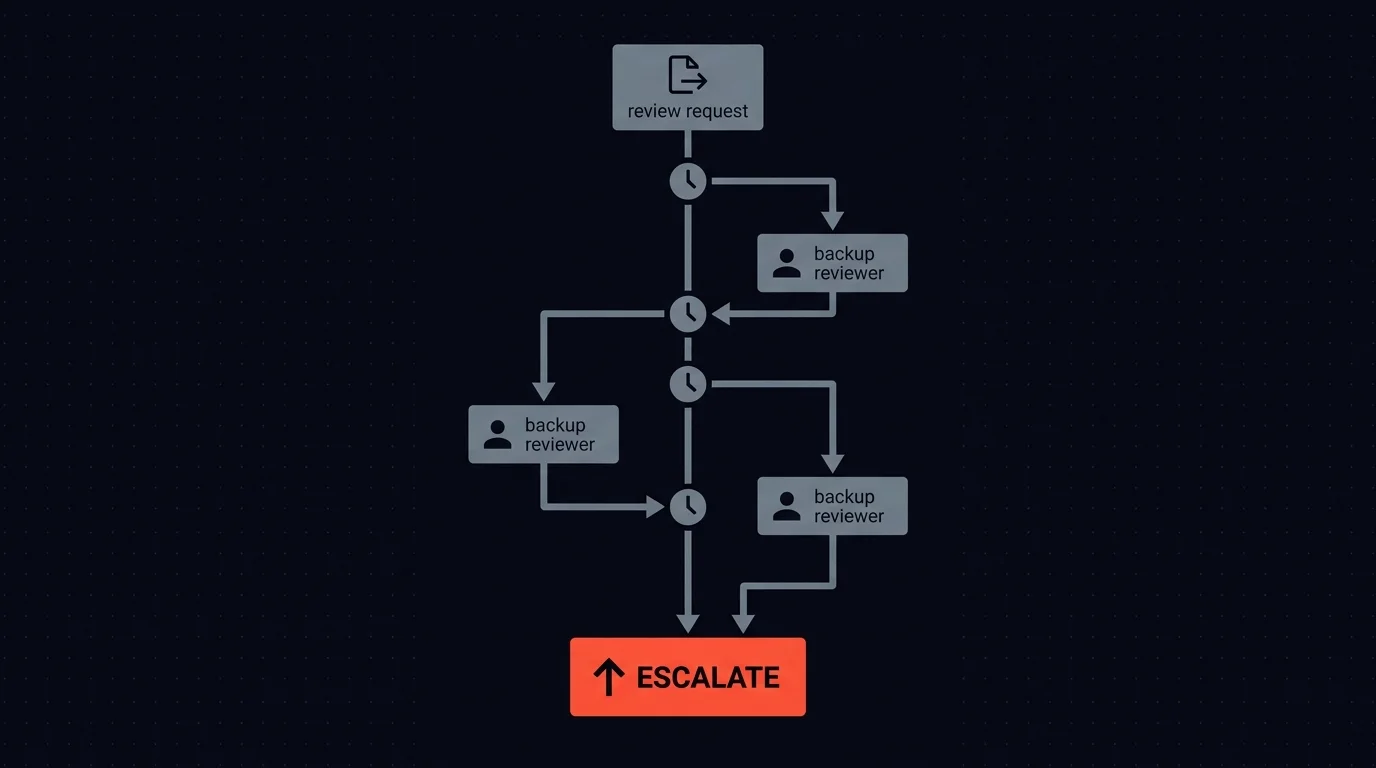
If the primary reviewer has not acted within your SLA window, the review request should route to a backup reviewer. If the backup does not act either, it escalates again.
Sensible timeout thresholds by email type and urgency:
- Support replies: 2-hour window, then escalate to team lead
- Sales outreach: 4-hour window (less time-sensitive), escalate to sales manager
- Compliance-sensitive emails: 1-hour window, escalate to compliance officer immediately
- High-value accounts: 1-hour window, escalate to account manager
The principle: the email never goes out without a human saying "send this." The timeout controls who reviews it, not whether it gets reviewed.
Scenarios where this pattern earns its keep
Customer support responses. A customer reports a billing discrepancy. The AI pulls their account data, references two knowledge base articles, and drafts a reply explaining the charge. The reviewer checks that the account data is current and the explanation matches actual policy. Review time: 45 seconds. Without that step: eventually, a wrong explanation goes out and creates a bigger billing dispute than the one the customer started with.
Sales outreach. A prospect fills out a demo request form. The AI drafts a personalized email referencing their industry and the problem they described. The reviewer verifies the personalization is accurate (the AI did not confuse them with another company in the same industry) and checks that the tone matches the prospect's seniority level. This is the difference between outreach that feels personal and outreach that feels like a chatbot guessed.
Renewal and account notifications. A subscription renews in 30 days. The AI drafts a reminder with current plan details, usage stats, and pricing. The reviewer verifies the numbers match reality. One wrong price in a renewal email and you have either lost revenue or made a commitment you did not intend. These are the emails that, when wrong, generate immediate support tickets and erode trust that took months to build.
Where this leaves you today
You can build this pattern today with what n8n gives you: an HTTP Request node, a Wait for Webhook node, and a custom review UI you host somewhere. It works.
The problem is that once the infrastructure is running, you are responsible for it: the reviewer interface, the routing logic, the timeout handling, the audit records. For one workflow, this is tolerable. For five, it is where your weekends go.
The alternatives available right now:
- n8n's built-in Send-and-Wait -- the official path, on Slack, Gmail, Teams, Telegram, Discord, WhatsApp, and Chat. Custom Form response type covers editable subject/body/notes fields out of the box. Where it stops: every recipient is a channel-specific hardcoded ID, reviewers cannot pick their own channel, no centralized inbox across workflows, single-step timeout (no multi-level escalation), audit trail is execution logs only.
- Slack/email approvals with custom webhooks -- flexible but every workflow is a bespoke build. Reviewers work in threads that get buried. No audit trail without building one.
- A DIY web app -- maximum control, maximum maintenance.
Humangent is the approval control layer for n8n workflows: a dedicated n8n node, a reviewer interface with inline editing, routing and escalation as configuration, and audit logging built in.
The point is simple: stop maintaining review plumbing and go back to building automations.
If your review needs are simple and one of the options above fits, use that. If you are already maintaining a DIY review gate for multiple AI workflows and want something opinionated about this pattern specifically, that is what Humangent is for.
Where to start
You do not need to route every automated email through review on day one. Start with the emails where a mistake costs the most:
- High-value account replies -- the customers where a wrong email creates real revenue risk
- Emails referencing pricing, contracts, or policies -- the ones where hallucinated facts create legal or financial exposure
- First-touch outreach -- the emails that form a prospect's first impression of your company
- Anything the AI flags as uncertain -- if your prompt includes the [NEEDS REVIEW] pattern from Step 2, route flagged drafts to review automatically
Once the pattern is running, expand coverage. Use the edit history to identify where your prompts are weakest and improve them. As the AI gets more accurate and reviewers have less to fix, you can raise the threshold for which emails require review.
The goal is not to review every email forever. It is to keep a human in the loop where the stakes justify it, so your AI email agent makes your team faster without putting your customer relationships at risk.
Frequently asked questions
How long does it take a reviewer to process an AI-drafted email?
With inline editing, most reviews take 30-60 seconds. The reviewer scans the draft, checks it against the customer context, makes any needed edits, and approves. Without editable fields -- where the only options are approve or reject -- reviews take longer because the reviewer has to decide whether a flawed draft is "good enough" or worth sending back for a full redraft.
What happens if the AI keeps getting the same thing wrong after rejection?
Cap your redraft loops at two or three attempts. If the AI cannot produce an acceptable draft after reviewer feedback, the workflow should escalate to a human who writes the email manually. Use the failed drafts and reviewer feedback to improve your prompt for next time. Patterns in rejection reasons are your best signal for prompt tuning.
Can I use this pattern with n8n's built-in Send-and-Wait node?
For a single email-review workflow, yes. Pick the channel, choose the Custom Form response type, and define fields for subject, body, recipient, decision, and notes. Pre-fill them with the AI draft and make them editable before submit. That gets you inline review without DIY.
Where Send-and-Wait stops being enough: recipients are channel-specific IDs, reviewers cannot self-serve their preferred channel, every request lives inside one workflow execution, the timeout is a branch you still have to turn into policy, and the approval-side record needs deliberate design. For multi-workflow setups, multi-step escalation, or a real audit record before the email sends, you need either a DIY webhook setup or Humangent.
Related guides
- How to build an n8n approval workflow — three approaches with node configs
- Human-in-the-loop for n8n: complete guide — broader HITL context
- Review AI social media posts before publishing — same pattern applied to social content
If n8n is about to send customer email, Humangent is the approval control layer for n8n workflows — reviewers approve and edit drafts before they go out, escalation handles missed reviews, and every change lands in the audit trail. Join the waitlist at humangent.io. Founding-team pricing for waitlist members.
Related Humangent resources
Humangent is for teams using n8n that need approval routing, escalation, multi-level sign-off, editable review fields, and a decision record before a workflow writes into another system.
The core pattern is simple: n8n sends the request, the reviewer sees the context, the reviewer chooses or edits the decision, and n8n resumes from a callback with a record attached. That keeps approval logic out of fragile Slack threads and makes the human decision visible to the team that owns the outcome.
These guides cover where to place human checkpoints, how to handle timeouts, when to route to another reviewer, what to record for audit, and when n8n built-in approval options are enough. The goal is practical workflow control for teams past the prototype stage.
For simple one-reviewer workflows, n8n built-in approval options can be enough. The need for a separate approval control layer shows up when several workflows compete for the same reviewers, when a backup reviewer needs to take over on a deadline, or when the team lead needs to reconstruct the decision after the workflow has already written to another system.
Humangent centers on that team operating model: one reviewer account across workflows, configurable routing, and a decision trail that belongs to the approval process. No scattered execution logs and chat-message archaeology.