Audit Trails for n8n AI Agents: A Compliance Guide
n8n execution logs show a workflow ran. They don't show who approved what, when, or what they changed. How to build a real audit trail for AI agents.
By Iiro Rahkonen on
TL;DR: n8n execution logs record that a workflow ran. They do not record who approved a decision, what context the reviewer saw, or whether the AI output was modified before it shipped. For regulated industries and anyone handling customer data or money, that gap is a compliance liability. This guide covers what a proper audit trail for n8n AI agent workflows requires, the compliance checklist it needs to meet, how to build it in pure n8n today, and where Humangent fits.
"Who approved that refund?"
"When was this customer email signed off, and by whom?"
"Did anyone actually review the AI's output before it updated the CRM?"
These are not hypothetical questions. They are the questions that get asked after something goes wrong. And if your answer involves digging through Slack threads, scanning n8n execution logs, or asking around in the team channel, you do not have an audit trail. You have a search party.
The painful version is this: a workflow processes a customer refund that should have been flagged for review. Finance asks who approved it. The answer exists, technically, but it is scattered across Slack timestamps, n8n execution data, and someone's memory. That is not an audit trail. That is detective work with a worse user interface.
This post covers why audit trails for n8n AI agent workflows are not optional, what n8n gives you today, what approval-side records you still need to design, how to close the gap in pure n8n, and how Humangent centers on that gap.
Why Audit Trails Matter More for AI Workflows Than Traditional Automation
Traditional n8n workflows are deterministic. A trigger fires, nodes execute in order, the same input produces the same output. If something breaks, you read the workflow definition and retrace the steps. The logic is the audit trail.
AI agent workflows break that model. The agent receives input, reasons about it, selects tools, and generates output that varies with every execution. Two identical customer emails can produce two different draft responses depending on context, model state, and the probabilistic nature of LLM inference. There is no static logic to read.
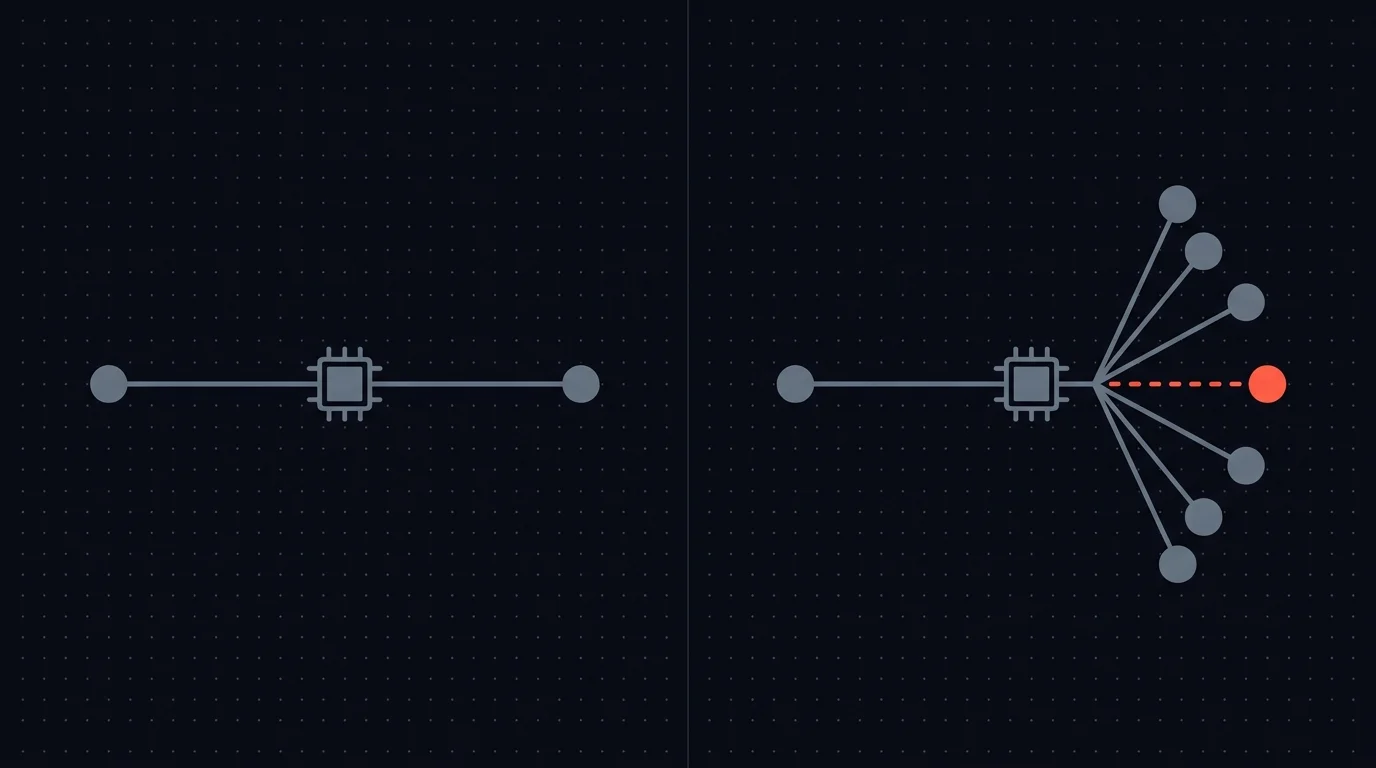
This matters at scale. An AI agent processing 150 customer emails per day is making 150 judgment calls about tone, urgency, what to include, and what to omit. In a traditional workflow, one bad configuration affects every execution identically and is easy to spot. In an AI workflow, subtle drift in judgment affects executions unpredictably and stays invisible until a customer complains or an auditor asks questions.
When something goes wrong, you need to reconstruct the full decision chain:
- What data did the AI see?
- What did it propose?
- Who reviewed it?
- What did they decide, and why?
- Did they change anything?
- What actually reached the downstream system?
For regulated industries, this reconstruction capability is a legal requirement. For everyone else, it is the difference between "we have oversight" and "we can prove we have oversight."
What n8n Gives You Out of the Box (and Where It Stops)
n8n's execution logs are solid for what they do. For every workflow execution, you get:
- Execution timestamp: when the workflow ran
- Input/output data per node: what each step received and produced
- Error details: where and why something failed
- Execution status: success, error, waiting, cancelled
This covers the mechanical story. The workflow triggered at 14:32, the AI node produced output, the HTTP Request node sent it to the CRM, execution completed at 14:33.
What the execution log does not capture:
- Who approved a decision. The log shows a webhook resumed the workflow. It does not record who triggered that webhook, from what interface, or whether they were authorized to make that call.
- What the reviewer saw. The summary, original data, and AI reasoning presented to the reviewer are ephemeral. Once the review is done, the presentation context is gone.
- Whether the reviewer changed anything. If someone edited an AI-drafted email before approving, the execution log shows only the final version. The original AI output and the reviewer's modifications are not captured as separate records.
- The reasoning behind the decision. Why did the reviewer approve? Was it a careful assessment or a rushed click? Did they add notes? Execution logs have no concept of reviewer intent.
The execution log tells you the workflow ran. It does not tell you a human made a deliberate judgment call, what informed that judgment, or whether the judgment was sound.
For a straightforward automation with no AI, this gap does not matter. For an AI agent workflow where the entire purpose of human-in-the-loop review is accountable decision-making, this gap is the problem.
What a Proper HITL Audit Trail Looks Like
A real audit trail for human-in-the-loop AI workflows captures every decision as a discrete, structured, queryable record. This pattern is tool-agnostic, whether you build it yourself in n8n, in a custom app, or in a purpose-built platform, the fields below are what the record should contain:
| Field | What It Captures | Why It Matters |
|---|---|---|
| Decision timestamp | Exact time the review occurred (UTC) | Timeline reconstruction, SLA verification |
| Reviewer identity | Who made the decision, name, role, authenticated actor | Accountability, separation of duties |
| Original AI output | What the AI proposed before any human intervention | AI performance tracking, drift detection |
| Context presented | What information was shown to the reviewer at decision time | Determines whether the reviewer was adequately informed |
| Action taken | Approve, reject, escalate, or approve with modifications | Decision classification, pattern analysis |
| Modifications made | Exact diff between AI proposal and final approved version | Change tracking, reviewer contribution measurement |
| Final executed output | What was actually sent to the downstream system | Ground truth for compliance verification |
| Workflow and execution ID | Link back to the specific n8n execution | Cross-referencing with technical logs |
| Escalation history | Whether the decision was escalated, from whom, to whom | Chain of responsibility documentation |
Think of this as a chain of custody for AI decisions. In legal proceedings, chain of custody documents who handled evidence, when, and what they did with it. An audit trail does the same for AI-generated decisions that touch your customers, records, and money.
Without this chain, you can prove the workflow ran. You cannot prove the decision was reviewed. You cannot prove it was reviewed by someone authorized to make it. You cannot prove the reviewer had adequate context.
The Gap Nobody Has Solved Well
This is not an abstract concern. There is a thread on r/AI_Agents where someone asked how teams handle audit trails for autonomous agents. It attracted a dozen-plus responses. The honest summary: poorly, or not at all.
Responses ranged from "we log everything to a database" (what schema? who queries it? how do you handle failures?) to "we're still figuring that out" to "our compliance team hasn't asked yet." One person described building a custom logging layer that took longer to develop than the agent itself. Another admitted they only started thinking about audit trails after a client audit exposed the gap.
The pattern repeats: teams build the AI agent, deploy it, realize they need audit trails, and retrofit logging after the fact. Retrofitting is always harder. And it always means there is a period where decisions were made with no record of who reviewed them. That gap is exactly what auditors look for.
Building Audit Logging in Pure n8n
You can build audit logging with n8n's existing nodes. The standard approach:
- Before the approval step, write the AI's proposed output to a database (Postgres, Airtable, Google Sheets) with the input context and a unique decision ID.
- After the reviewer responds, write the reviewer's action, any modifications, and the reviewer's identity to the same record.
- After execution, update the record with the downstream result, whether the action succeeded or failed.
This works. It also carries real maintenance costs.
Schema design is entirely on you. What fields do you capture? How do you handle different decision types, email approvals versus CRM updates versus payment authorizations? Do you normalize or store everything as JSON blobs? Every schema choice has trade-offs, and you will probably revise it multiple times.
Edge cases will surface. What happens if the database write fails? Does the workflow continue without logging, creating a compliance gap? Or does it halt, blocking the business process?
What if the reviewer responds but the post-review write fails? You now have an unlogged decision. Audit logging needs error handling as carefully as the review step itself.
Consistency depends on discipline. Every workflow that includes an approval step needs the logging nodes added manually. Miss one workflow, or add a new one without the logging step, and you have an unlogged decision path. There is no enforcement. It is a convention that depends on the builder remembering.
Querying is your problem. When an auditor asks "show me every decision Sarah approved in Q1 for transactions over $5,000," can you answer? If your audit data sits in Google Sheets, probably not without significant effort. If it is in Postgres, you need to write the query and hope your schema supports it.
Reviewer identity is tricky. If your reviewers respond via Slack buttons, the webhook payload tells you the Slack user ID. If they respond via email, you get the sender address. If they respond via a shared Google Form, you may not know who it was at all. Stitching identity back to the decision requires deliberate design, and the easier paths often throw away the information you need.
For a single workflow with occasional audits, this approach is adequate. For multiple workflows across a team with recurring compliance requirements, it becomes a second project alongside the automation work itself.
If the pure-n8n audit build is already starting to look like a second product, join the early-access list for Humangent. Structured audit records by default are core to Humangent, with input from regulated-industry teams.
Industries Where This Matters Most
Audit trail requirements vary by industry, but the direction is clear: as AI moves from experimental to operational, regulators are paying attention.
Financial services. Payment approvals, transaction monitoring, fraud case decisions. SOX, PCI-DSS, and AML directives require demonstrable controls over financial decisions. An AI agent flagging suspicious transactions needs a record of who reviewed each flag and what action they took. "The workflow ran" is not documentation.
Healthcare. Patient communication, appointment management, insurance pre-authorization. HIPAA mandates access controls and audit trails for systems handling protected health information. An AI drafting patient messages needs to log who reviewed the message, what PHI was present, and whether accuracy was verified.
Legal. Contract generation, clause selection, compliance documents. When an AI drafts a contract, there needs to be a record of which clauses it selected, whether a human reviewed the selection, and who authorized the final version. Legal malpractice claims will increasingly hinge on whether AI-generated documents were properly overseen.
Human resources. Candidate communication, offer letters, policy communications. Employment law is unforgiving about what organizations say to candidates and employees. An AI agent drafting rejection emails or modifying offer terms needs a documented review chain.
Any company handling personal data. GDPR, CCPA, and their equivalents increasingly require organizations to demonstrate that automated decisions affecting individuals are subject to human oversight. An audit trail is the proof.
Even outside regulated industries, your customers may be regulated. "Do you have audit trails for AI-assisted decisions?" is appearing in vendor security questionnaires and SOC 2 audits. Having an answer is a competitive advantage. Not having one is a deal-breaker.
The Compliance Checklist for AI Decision Audit Trails
If you are building or evaluating an audit trail system for AI agent workflows, these are the five properties that matter. They apply whether you build the system yourself, buy one off the shelf, or use a purpose-built HITL platform.
1. Immutability
Audit records cannot be modified after the fact. If a reviewer approved a decision at 14:32, that record is permanent. No one, not the reviewer, not the builder, not the admin, can alter historical entries. Mutable audit logs are not audit logs. They are editable notes.
2. Completeness
Every decision must be logged. No gaps. No "we forgot to add logging to that workflow." Completeness is the difference between a compliance program and a compliance aspiration. One unlogged decision in an audit sample raises questions about every other record.
3. Accessibility
Auditors need to query and export the data without requiring a developer. "We logged everything" is useless if extracting results requires someone writing SQL on demand. A proper system supports filtering by date range, reviewer, decision type, and outcome, and exporting in formats auditors can work with.
4. Retention
How long do you keep records? Industry and jurisdiction determine the answer, but common periods range from three to seven years. Your storage solution needs to support long-term retention without degradation, and the policy needs to be documented and enforced.
5. Separation of Duties
The person reviewing AI decisions should not be the same person who built the workflow. This is a fundamental internal control principle. The developer who configured the AI agent's behavior should not also approve its output in production. Your audit trail should capture reviewer identity in a way that makes this separation verifiable.
Beyond Compliance: Audit Trails as Process Intelligence
The checklist above satisfies an auditor. But structured audit data offers more than compliance coverage.
When every AI decision is logged with full context, you can analyze patterns. Which AI proposals get modified most often? Your prompts need refinement. Which reviewers approve everything unchanged? They may not be reviewing carefully. Which decision types generate the most rejections? The AI may not be suited for that task.
Audit data becomes training data for your process. It shows where the AI is strong, where it is weak, where human reviewers add genuine value, and where oversight is rubber-stamping. Over time, that data informs better prompts, smarter routing, and evidence-based decisions about which actions can safely run without review.
But none of this works if audit records are scattered across spreadsheets, inconsistently structured, or missing key fields. Ad-hoc logging gives you checkbox compliance. Structured logging gives you operational insight.
Frequently Asked Questions
Does n8n have a built-in audit trail for AI agent decisions? n8n provides execution logs that record workflow runs, node inputs/outputs, and errors. These logs do not capture who approved a decision, what context they reviewed, or whether they modified the AI output. For compliance purposes, execution logs alone are not sufficient as an audit trail for human-in-the-loop decisions.
What is the difference between execution logs and an audit trail? Execution logs answer "did the workflow run?" An audit trail answers "who made the decision, what did they see, what did they change, and were they authorized to make it?" For AI agent workflows with human review steps, you need both.
Can I build audit logging in n8n without external tools? Yes. You can use database nodes (Postgres, Airtable, Google Sheets) to log decision data before and after each review step. The trade-off is maintenance: you are responsible for schema design, error handling, consistency across workflows, and query infrastructure.
Which regulations require audit trails for AI-assisted decisions? SOX and PCI-DSS for financial services, HIPAA for healthcare, GDPR and CCPA for personal data processing. The EU AI Act also introduces transparency and record-keeping requirements for certain AI systems. Requirements vary by jurisdiction and use case.
How long should I retain audit trail records? Retention periods depend on your industry and jurisdiction. Financial services typically require five to seven years. Healthcare under HIPAA requires six years. GDPR requires documented retention policies without naming one fixed period. When in doubt, consult your compliance team or legal counsel.
Where Humangent Fits
Humangent is the approval control layer for n8n workflows, with audit trail as a core design goal. n8n runs the automation; Humangent manages the human decision before the workflow writes into another system. The product principles are the ones described above: every decision captured as a structured record, reviewer identity tied to an authenticated user, original AI output stored alongside reviewer modifications, immutability by default, and a queryable interface that does not require someone to write SQL when an auditor calls. Logging belongs inside the review flow. It should not be a side quest with a spreadsheet and a frown.
If you need audit trails today, the pure-n8n approach in this guide works. It is buildable, and for a single workflow or a small team it may be all you need. If you are already stretched across multiple workflows and finding that the logging infrastructure is starting to look like a second product, that is the problem Humangent solves.
Teams in financial services, healthcare, and other regulated industries are especially useful here, because they can tell which audit decisions above are table stakes and which are details. If that describes your team, the waitlist is the fastest way to push the product in the right direction.
Related guides
- Human-in-the-loop for n8n: complete guide — broader HITL context
- Approval control for n8n workflows — where the decision record belongs before n8n writes downstream
- n8n approval dashboard — visibility into pending decisions and their audit status
- n8n payment and refund approval workflows — financial flows that must have a defensible audit trail
- n8n CRM approval: stop AI from overwriting customer data — recording AI-proposed CRM changes
- Multi-level approval workflows in n8n — capturing each sign-off in the chain
Join the Waitlist
If audit trails for n8n approvals are on your radar, Humangent is the approval control layer for n8n workflows — owner, deadline, edits, sign-off, escalation, and resume time before n8n writes into another system. Join the waitlist at humangent.io. Founding-team pricing for waitlist members.
Related Humangent resources
Humangent is for teams using n8n that need approval routing, escalation, multi-level sign-off, editable review fields, and a decision record before a workflow writes into another system.
The core pattern is simple: n8n sends the request, the reviewer sees the context, the reviewer chooses or edits the decision, and n8n resumes from a callback with a record attached. That keeps approval logic out of fragile Slack threads and makes the human decision visible to the team that owns the outcome.
These guides cover where to place human checkpoints, how to handle timeouts, when to route to another reviewer, what to record for audit, and when n8n built-in approval options are enough. The goal is practical workflow control for teams past the prototype stage.
For simple one-reviewer workflows, n8n built-in approval options can be enough. The need for a separate approval control layer shows up when several workflows compete for the same reviewers, when a backup reviewer needs to take over on a deadline, or when the team lead needs to reconstruct the decision after the workflow has already written to another system.
Humangent centers on that team operating model: one reviewer account across workflows, configurable routing, and a decision trail that belongs to the approval process. No scattered execution logs and chat-message archaeology.