How to Build Multi-Level Approval Workflows in n8n
Three patterns for n8n multi-level approval workflows: sequential Send-and-Wait chains, database-driven polling, and an approval control layer approach.
By Iiro Rahkonen on
TL;DR: n8n gives you the primitives to build multi-level approvals, but the approval state is yours to model. You have three options: chain multiple Send-and-Wait nodes together (simple but rigid), store approval state in a database and poll for changes (flexible but you are building infrastructure), or delegate the level logic to an approval control layer (less n8n complexity, adds a dependency). This post walks through all three patterns with concrete node layouts and trade-offs. Humangent centers on the third approach.
An n8n multi-level approval workflow routes a single request through sequential sign-offs. Team lead approves, then manager approves, then VP approves. Every level must say yes before the action executes. Any rejection at any level stops the chain. This is the pattern you see in purchase orders, content publishing, data changes in regulated environments, and customer communications with high-value accounts.
n8n can build this with Send-and-Wait, Wait nodes, webhooks, data stores, and branches. The trade-off is that the chain becomes workflow logic you own. This post covers the three ways to model that approval state.
Multi-level approval is not escalation
These two concepts get confused constantly, and the confusion leads to broken workflows. They need to be separated clearly before we go further.
Multi-level approval means multiple people sign off in sequence. Team lead reviews first. If they approve, the request moves up to the manager. If the manager approves, it moves to the VP. All three must approve. The chain moves upward through levels of authority.
Escalation means a request gets reassigned when someone does not respond. If the team lead does not act within four hours, the request goes to a backup reviewer at the same level. Escalation is a fallback mechanism for inaction. It does not advance the request to a higher authority.
You often need both in the same workflow. A request might require three levels of approval, and each level might have an escalation rule for when the assigned reviewer is unavailable. But they are different problems that require different logic. Conflating them is one of the most common mistakes in n8n approval builds.
Where multi-level approval is unavoidable
Not every approval needs multiple levels. A single reviewer works fine for most day-to-day decisions. But certain business processes genuinely require sequential sign-offs because each level evaluates something different.
Purchase requests with amount thresholds. A $300 tool subscription needs a team lead's confirmation that the team actually needs it. A $15,000 annual contract also needs finance to confirm budget availability. A $60,000 vendor deal adds the VP to verify strategic alignment. The number of required levels scales with the dollar amount because each level checks something the levels below cannot.
Content publication chains. A writer produces a draft. An editor reviews accuracy and tone. Legal checks for compliance issues. Each reviewer brings domain knowledge the others lack. Removing a level is not faster -- it is a gap in the review.
Customer communications on sensitive accounts. A support agent drafts a response to a strategic account. The account manager reviews the commitments being made. For the largest accounts, a director confirms the response aligns with the relationship strategy. The cost of a bad message scales with the account value.
Data changes in regulated industries. An analyst proposes a correction to production records. The team lead validates the logic. The data owner confirms authorization and scope. In healthcare and financial services, this chain is a compliance requirement, not a preference.
The thread connecting all of these: each level contributes a perspective that the other levels do not have, and skipping a level creates risk that outweighs the time saved.
Pattern 1: Sequential approval chains in pure n8n
This is where most people start. It uses only built-in n8n nodes. The idea is linear: notify Level 1, wait for their response, check if they approved, notify Level 2, wait, check, notify Level 3, wait, check, execute.
You have two implementation choices inside this pattern:
- Native
Send and Wait for Responseat each level (Slack, Gmail, Teams, Telegram, Discord, WhatsApp, Chat). One node handles notification + pause + timeout per level. Simpler -- around 10 nodes for a 3-level chain -- but each level's recipient is a hardcoded channel-specific ID (SlackU08XXXX, Telegramchat_id, Teams object ID). Fine for fixed reviewers; awkward when the right reviewer depends on the request. - HTTP Request + Wait for Webhook at each level (the layout shown below). More plumbing but more flexibility -- you can pick the reviewer dynamically per request, send to any system, and shape the notification however you want. The 15-25 node count comes from this variant.
The walkthrough below uses the HTTP Request + Wait for Webhook variant because it's the one teams reach for once "always send to Alice" stops being true. If your chain has fixed reviewers, swap each HTTP Request + Wait for Webhook pair for a single Send-and-Wait node and the rest of the structure stays the same.
Node layout for a three-level chain
Trigger
  -> Set node (prepare request payload)
  -> HTTP Request (send notification to Level 1 reviewer)
  -> Wait for Webhook (pause for Level 1 response)
  -> IF node (did Level 1 approve?)
      -> Yes:
          -> Set node (append Level 1 decision and comments)
          -> HTTP Request (send notification to Level 2 reviewer)
          -> Wait for Webhook (pause for Level 2 response)
          -> IF node (did Level 2 approve?)
              -> Yes:
                  -> Set node (append Level 2 decision)
                  -> HTTP Request (send notification to Level 3 reviewer)
                  -> Wait for Webhook (pause for Level 3 response)
                  -> IF node (did Level 3 approve?)
                      -> Yes: Execute the final action
                      -> No: Rejection notification (Level 3 rejected)
              -> No: Rejection notification (Level 2 rejected)
      -> No: Rejection notification (Level 1 rejected)
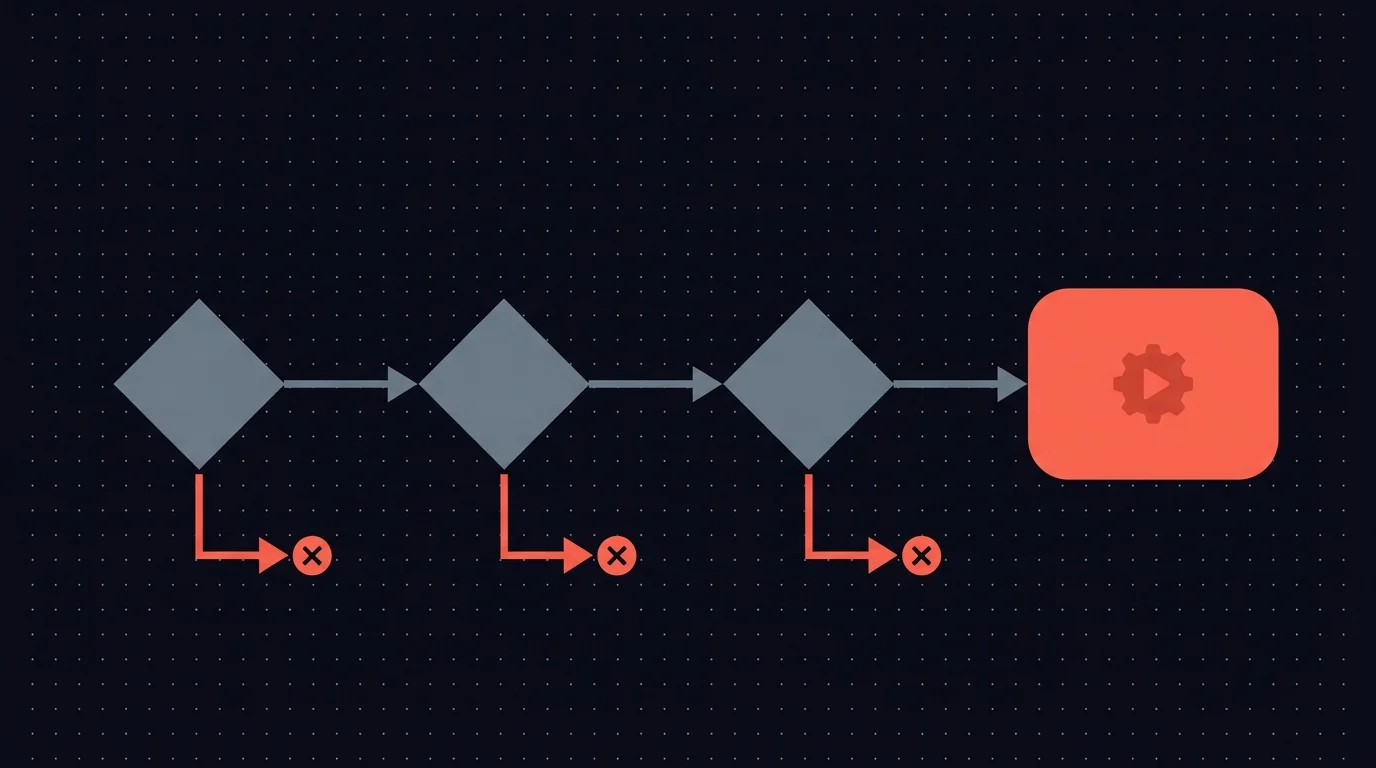
Each level requires at least three nodes: one to send the notification, one to pause for the response, and one to branch on the decision. A three-level chain typically runs 15 to 20 nodes once you include data preparation and rejection handling.
Wiring the webhooks
Each Wait for Webhook node needs a unique path. A pattern that works:
/approval/{{$json.requestId}}/level-1
/approval/{{$json.requestId}}/level-2
/approval/{{$json.requestId}}/level-3
The notification sent to each reviewer contains two URLs -- one for approve, one for reject -- that target the corresponding webhook. When the reviewer clicks, the workflow picks up from that specific Wait node.
Between levels, you accumulate the approval record using Set nodes. By the time the request reaches Level 3, the payload should include every prior decision with timestamps and comments:
{
  "requestId": "PO-2026-0412",
  "originalRequest": {
    "type": "purchase",
    "amount": 18000,
    "vendor": "Acme Analytics",
    "description": "Annual platform license renewal"
  },
  "approvals": [
    {
      "level": 1,
      "reviewer": "alex@company.com",
      "decision": "approved",
      "comments": "Team confirmed they use this daily",
      "timestamp": "2026-04-10T09:15:00Z"
    },
    {
      "level": 2,
      "reviewer": "jordan@company.com",
      "decision": "approved",
      "comments": "Budget allocated in Q2 plan",
      "timestamp": "2026-04-10T14:42:00Z"
    }
  ]
}
Where this pattern holds up
It works when the chain is short and stable. Two levels, maybe three. The same reviewers every time. The workflow does not change often. You are comfortable reading a 20-node canvas and knowing exactly where each branch leads.
For a single workflow with a fixed two-level approval, this is the right choice. There is no external dependency, no database to maintain, and the logic is visible in the workflow itself.
Where it breaks down
Adding or removing a level means surgery. A fourth level adds another five or six nodes. Removing a level means carefully disconnecting and deleting without breaking adjacent branches. Every structural change touches the whole workflow.
No centralized view of pending approvals. If eight requests are in flight across different levels, there is no single place to see them. You are opening individual execution logs in the n8n interface, which was not designed for this.
Timeout handling doubles the node count. Each Wait for Webhook needs a timeout. When a timeout fires, you need branching logic: retry? Escalate to a backup? Auto-reject? Each timeout branch adds two or three more nodes per level. A 20-node workflow becomes 35 nodes.
Conditional routing creates combinatorial sprawl. If some requests need two levels and others need four, you build separate branches for each path. Three request types with different routing rules can push you past 50 nodes.
This pattern has a ceiling. One or two static workflows is fine. Beyond that, the maintenance burden grows faster than the value.
If Pattern 1's ceiling is where your current chain is sitting, join the early-access list for Humangent. Pattern 3 below is the Humangent model for levels-as-config.
Pattern 2: Database-driven approval with polling
This pattern separates the approval state from the n8n workflow. Instead of encoding each level as a chain of nodes, you write the approval state to a database and let a separate polling workflow manage level transitions.
The components
You need three things working together.
A database schema. Postgres, Supabase, MySQL, even Airtable if you prefer no-code storage. Two tables handle the core logic:
CREATE TABLE approval_requests (
  id UUID PRIMARY KEY,
  workflow_execution_id TEXT,
  request_type TEXT,
  request_data JSONB,
  current_level INT DEFAULT 1,
  max_levels INT,
  status TEXT DEFAULT 'pending',
  created_at TIMESTAMP DEFAULT NOW(),
  updated_at TIMESTAMP DEFAULT NOW()
);

CREATE TABLE approval_decisions (
  id UUID PRIMARY KEY,
  request_id UUID REFERENCES approval_requests(id),
  level INT,
  reviewer TEXT,
  decision TEXT,
  comments TEXT,
  modifications JSONB,
  decided_at TIMESTAMP DEFAULT NOW()
);
A main workflow that creates the request and waits for the final outcome:
Trigger
  -> Code node (generate request ID, calculate required levels based on request properties)
  -> Postgres node (INSERT into approval_requests)
  -> HTTP Request (notify Level 1 reviewer)
  -> Wait for Webhook (store resume URL in the database row)
  -> Postgres node (read final decision and full approval chain)
  -> IF node -> Execute or reject
A polling workflow that runs on a schedule and handles level transitions:
Schedule Trigger (every 2-5 minutes)
  -> Postgres node (SELECT requests with new decisions at current level)
  -> For each request:
      -> Is current level approved and more levels remain?
          Yes: increment current_level, notify next reviewer
      -> Is current level approved and it was the final level?
          Yes: set status to 'approved', hit the resume webhook
      -> Was current level rejected?
          Yes: set status to 'rejected', hit the resume webhook
Reviewers interact through a form -- either an n8n Form Trigger workflow or a lightweight web page -- that writes their decision to the approval_decisions table.
What this approach gives you
Dynamic chains without touching nodes. Adding a level means changing the max_levels value. Conditional routing is a Code node that calculates how many levels a specific request needs based on its properties. No workflow restructuring required.
Queryable state. You can run SQL against the database to see all pending approvals, identify bottleneck reviewers, measure average approval time per level, and generate reports. This visibility is absent in Pattern 1.
Resilience. If n8n restarts, the state lives in the database. The polling workflow resumes checking. Nothing is lost.
What it costs
You are maintaining a small application. A database schema, a polling workflow, a reviewer-facing form, and the glue logic connecting them. This is infrastructure, not configuration.
Polling introduces latency. A five-minute polling interval means up to five minutes between a reviewer clicking approve and the next level being notified. More frequent polling means more database queries and more n8n executions burning through your quota.
You build the reviewer experience yourself. The form needs to display the original request, all prior approvals, comments, and modifications. It needs to let reviewers add their own comments and edits. Building a clear, usable form for this in n8n is achievable but takes real effort to get right.
This pattern makes sense when you have five or more workflows sharing approval infrastructure, when you need reporting on approval metrics, or when your chains vary in length based on request properties. For a single workflow with fixed levels, it is more machinery than the problem demands.
Pattern 3: An approval control layer
Patterns 1 and 2 both leave you maintaining approval infrastructure -- either as node wiring inside each workflow or as a small application alongside it. The third approach moves the multi-level approval state out of the n8n canvas. An approval control layer becomes the thing that holds the chain. You send one request from n8n, the layer handles level progression, reviewer notifications, timeouts, and the reviewer interface, and the workflow resumes when the chain resolves.
This is the approach Humangent centers on: approval levels as configuration, with node duplication kept out of the workflow.
The core idea: levels as config, not nodes
The goal for Pattern 3 is to turn the multi-level chain into declarative configuration. In Pattern 1 the chain lives in n8n nodes. In Pattern 2 it lives in your database schema and polling logic. In Pattern 3 it lives in a config object that the platform interprets.
From the n8n side, the workflow stays minimal:
Trigger
  -> Code node (prepare request payload, build levels array)
  -> HTTP Request node (POST to the HITL platform)
  -> Wait for Webhook (platform calls back when the chain completes)
  -> IF node (check final decision)
  -> Execute or reject
Five nodes, regardless of whether the chain is two levels or four. The current request-payload direction looks roughly like this -- treat it as a sketch of the intended API, not a stable contract:
{
  "title": "Purchase Order: Acme Analytics ($18,000)",
  "body": "Annual platform license renewal for the data team...",
  "levels": [
    { "assignee": "team-lead", "timeout": "4h" },
    { "assignee": "finance", "timeout": "24h" },
    { "assignee": "vp", "timeout": "48h" }
  ],
  "callbackUrl": "https://your-n8n.com/webhook/approval-complete/PO-2026-0412"
}
The logic behind that shape:
- Each level sees prior approvals. When Level 2 opens the request, they should see what Level 1 decided, the comments they left, and any edits they made. A lonely "approved" flag is about as helpful as a pub menu with one item called food.
- Progression between levels is handled by the platform. When a level approves, the next level is notified automatically. The n8n workflow stays paused at a single Wait node the entire time.
- Escalation happens within a level, not between levels. If the assigned reviewer at Level 2 does not respond by the timeout, the request should route to a backup reviewer at the same level. The chain does not skip ahead to Level 3 just because Level 2 is slow. This separation matters -- it is the same distinction between multi-level approval and escalation from earlier in the post.
- The final callback returns the full decision chain. n8n gets one webhook hit with every decision, every edit, every timestamp, so the downstream workflow can branch on the outcome and log the audit trail.
What this pattern is trying to solve
Reading Pattern 1 and Pattern 2, the same pain points keep showing up: the chain logic bleeds into places that are not good at holding it. n8n canvases are not great at representing variable-length chains. Ad-hoc databases are not great at being a reviewer-facing product. The reviewer experience in both patterns tends to be an afterthought -- Slack messages, raw forms, execution logs.
The Pattern 3 bet is that if you move the chain into a purpose-built platform, three things get easier at once:
- Workflow complexity stays flat. Adding a fourth level is adding an object to the
levelsarray, not rewiring nodes. - The reviewer gets a real interface. One place to see pending decisions, full context, and prior approvals. No Slack archaeology required.
- The audit trail comes from the system of record, not from reconstructing execution logs.
Those are the product principles. Early access pressure-tests how well they fit real approval chains.
Practical status
The shape above is the Humangent model; early access is where real approval chains test which parts are right and which need to change. If you need a system you fully control today, the honest answer is Pattern 1 or Pattern 2 in pure n8n. They work, even if nobody is framing the canvas for the office wall.
The trade-off that applies to any approval control layer
Whichever approval control layer you pick for this pattern, you are adding an external dependency. Your approval chain runs through a third-party service. If the service goes down, pending approvals stall. For some teams that is a dealbreaker. For others, the reduction in n8n complexity is worth it, especially when the alternative is a 35-node workflow or a custom database someone has to keep running.
One thing worth planning for regardless of platform choice: make sure the integration is clear about where approval control lives and how n8n resumes after the decision. For Humangent, that path is the dedicated n8n node plus the callback into your workflow.
Conditional routing: different requests, different chains
Most real-world approval workflows do not send every request through the same number of levels. The chain length depends on the request itself. This applies to all three patterns above -- here is how each one handles it.
A common example with purchase approvals:
| Amount | Required levels |
|---|---|
| Under $500 | Team lead only |
| $500 -- $5,000 | Team lead, then finance |
| $5,000 -- $50,000 | Team lead, finance, then VP |
| Over $50,000 | Team lead, finance, VP, then CFO |
In Pattern 1, you implement this with Switch or IF nodes at the start of the workflow. Each branch is a separate approval chain of different length. Three request types with different rules means maintaining three parallel chains in one workflow. The canvas gets wide, and changes touch multiple branches.
In Pattern 2, you calculate max_levels dynamically in a Code node when inserting the request. The polling workflow already checks whether current_level has reached max_levels, so variable-length chains require no extra logic. This is one of the strongest arguments for the database approach.
In Pattern 3, you build the levels array dynamically in a Code node before the API call:
const amount = $input.first().json.amount;
const levels = [{ assignee: "team-lead", timeout: "4h" }];

if (amount >= 500) {
  levels.push({ assignee: "finance", timeout: "24h" });
}
if (amount >= 5000) {
  levels.push({ assignee: "vp", timeout: "48h" });
}
if (amount >= 50000) {
  levels.push({ assignee: "cfo", timeout: "72h" });
}

return { levels, ...$input.first().json };
All the routing logic lives in a single Code node. No parallel branches, no duplicated chains.
Conditional routing is where Pattern 1 hits a wall. If you are building it and find yourself creating multiple parallel chains for different request types, that is a strong signal to evaluate Pattern 2 or 3.
Handling modifications between levels
The simple approve/reject model misses a common scenario: approval with conditions.
A team lead reviews a $18,000 purchase order and approves it with the note: "Go ahead, but negotiate the renewal price below $15,000." Now the finance reviewer at Level 2 needs to see three things: the original request, the team lead's approval, and the specific condition attached to it. If finance only sees "approved by team lead," they are making their decision with incomplete information.
In Pattern 1, you add a third webhook path per level for "approve with modifications." The reviewer submits their changes via a form that posts to this webhook. Your Set node between levels merges the original data, the decision, and the modifications into a single payload. The notification template for the next level needs conditional formatting to display modifications when they exist. This works for two levels. At three or four levels with potential modifications at each, the template logic becomes fragile and hard to debug.
In Pattern 2, the database handles this naturally. The approval_decisions table has a modifications column. The reviewer form reads all prior decisions and displays the full history. The rendering logic is separate from the workflow logic, which keeps both manageable.
In Pattern 3, the design goal is for the platform to carry modifications forward automatically -- each level's decision, comments, and edits included in the context shown to the next level, without the workflow builder maintaining the display logic. How cleanly that works in practice is one of the things early users will stress-test.
Picking the right pattern
Pattern 1 (sequential Send-and-Wait) fits when you have one or two workflows with a fixed chain of two or three levels. The chain rarely changes. You do not need cross-workflow visibility or approval metrics. You are willing to maintain 15-25 nodes per workflow.
Pattern 2 (database-driven polling) fits when you have multiple workflows sharing approval infrastructure. You want reporting on approval times, rejection rates, and bottleneck reviewers. You already operate a database. Your chains vary in length based on request properties.
Pattern 3 (approval control layer) fits when the approval complexity is growing faster than your appetite to maintain it, and you would rather consume a platform than build one. Humangent is for that use case: approval control for n8n workflows.
These patterns are not mutually exclusive. A common progression: start with Pattern 1 for your first approval workflow, move to Pattern 2 when you hit four or five workflows, and evaluate Pattern 3 when you realize you are spending more time on approval infrastructure than on the automations that depend on it.
Common questions
Can I mix approval levels that use different notification channels? Yes. In all three patterns, each level's notification is independent. Level 1 can notify via Slack, Level 2 via email, and Level 3 via a dedicated inbox. In Pattern 1, each level has its own HTTP Request node pointing at a different channel. In Patterns 2 and 3, the notification channel is a per-level config value.
What happens if a reviewer is out of office? This is where escalation enters the picture. In Pattern 1, you build timeout handling per Wait node -- when the timeout fires, you branch to notify a backup reviewer. In Pattern 2, the polling workflow checks for stale requests and reassigns them. In Pattern 3, the platform handles escalation based on per-level timeout rules. Remember: escalation reassigns within a level. It does not advance the request to the next level.
Can a higher-level reviewer override a rejection from a lower level? Not in a standard sequential chain -- a rejection at any level halts the entire request. If you need override capability, you would add a separate "appeal" path that routes rejected requests to the next level for a second opinion. This is a distinct workflow branch, not part of the standard multi-level pattern.
How do I handle requests that need different reviewers based on department or region? This is routing logic that sits before the approval chain. A Code or Switch node at the start of the workflow determines which reviewers are assigned to each level based on the request's department, region, or other properties. In Pattern 3, levels map to roles and the platform resolves each role to the right individual.
Is there a performance limit on the number of levels? Practically, most organizations cap at three or four levels. Beyond that, the delay becomes counterproductive. Technically, Pattern 1 gets unwieldy past three levels. Patterns 2 and 3 handle deeper chains without structural issues, but the real bottleneck is reviewer response time, not system capacity.
Related guides
- How to build an n8n approval workflow — single-level basics first
- n8n approval timeouts and escalation — timeouts at each level of the chain
- n8n payment and refund approval workflows — dual approval applied to financial flows
- Audit trails for n8n AI agents — recording each sign-off in a defensible chain
If multi-level approvals are turning into repeated If/Wait chains across n8n workflows, Humangent is the approval control layer for n8n workflows — sequential sign-offs as configuration, escalation when a level stalls, and every decision captured before n8n writes into another system. Join the waitlist at humangent.io. Founding-team pricing for waitlist members.
Related Humangent resources
Humangent is for teams using n8n that need approval routing, escalation, multi-level sign-off, editable review fields, and a decision record before a workflow writes into another system.
The core pattern is simple: n8n sends the request, the reviewer sees the context, the reviewer chooses or edits the decision, and n8n resumes from a callback with a record attached. That keeps approval logic out of fragile Slack threads and makes the human decision visible to the team that owns the outcome.
These guides cover where to place human checkpoints, how to handle timeouts, when to route to another reviewer, what to record for audit, and when n8n built-in approval options are enough. The goal is practical workflow control for teams past the prototype stage.
For simple one-reviewer workflows, n8n built-in approval options can be enough. The need for a separate approval control layer shows up when several workflows compete for the same reviewers, when a backup reviewer needs to take over on a deadline, or when the team lead needs to reconstruct the decision after the workflow has already written to another system.
Humangent centers on that team operating model: one reviewer account across workflows, configurable routing, and a decision trail that belongs to the approval process. No scattered execution logs and chat-message archaeology.