n8n Approval Timeouts and Escalation: A Practical Guide
How to handle approval timeouts and escalation in n8n. Compare built-in options, build multi-step chains, and stop workflows from hanging silently.
By Iiro Rahkonen on
TL;DR: n8n approval workflows hang silently when reviewers do not respond. Built-in timeout options (workflow-level, Wait node, Send-and-Wait) catch the expiry and leave escalation to you. A production-grade approval needs reminders, multi-level escalation, and a configurable final action. You can build this in pure n8n. It works. Once you have more than a couple of workflows, the node count gets painful. That specific pain is what Humangent solves.
You build a workflow that sends a Slack message asking a teammate to approve a refund. The workflow pauses. The reviewer clicks approve. Everything works.
Then the reviewer goes on vacation. The workflow sits there, paused. The customer waits. Downstream steps never fire. Nobody notices because there is no alert, no reminder, no fallback. Three days later, everyone is politely pretending the automation did not become a manual follow-up task with extra steps.
This is the problem Humangent centers on: approval control with deadlines, escalation, and a clear final action.
Why a Stuck Approval Workflow Costs More Than You Think
A paused workflow blocks whatever it gates. The refund stays unissued. The support ticket stays unresolved. The invoice stays unsent. The automation that was supposed to speed things up becomes the bottleneck.
It costs resources too. On n8n Cloud, paused executions count against your limits. On self-hosted, they hold execution slots and may not resume cleanly after a restart. Stack enough of them and other workflows start competing for capacity.
Then there is the trust problem. Every silent failure erodes your team's confidence in automation. People start checking things manually "just in case." One stuck approval can undo months of buy-in from your team.
Most approval workflows are built for the happy path: someone asks, someone approves, the workflow continues. Production-grade workflows answer a harder question: what happens when nobody responds?
How n8n Handles Timeouts Today
n8n gives you three mechanisms for dealing with time in approval workflows. Each has real strengths, but also real limitations.
Workflow-Level Execution Timeout
Under Settings > Workflow Settings, you can set a global execution timeout. If the execution exceeds this duration, n8n kills it. No notification, no fallback, no escalation. The workflow just stops.
Use this as a safety net. Set a generous upper bound (say, seven days) so nothing runs indefinitely. But do not treat it as your approval timeout strategy. It is a circuit breaker, not a business rule.
The Wait Node with a Time Limit
The Wait node pauses a workflow for a fixed duration. You can use it to build a basic timeout pattern: send a notification, start a Wait, and if the wait expires before you get a response, take a fallback action.
The problem is that the Wait node does not listen for the approval response. It is a pure delay. Combining "wait for response" with "timeout after X hours" requires parallel branches or separate workflows. Complexity goes up fast.
Send-and-Wait Node with Timeout
The Send and Wait node is the closest built-in match for what approval workflows actually need. It sends a message (Slack, email, etc.) with action buttons, pauses the workflow, and waits for a click. You configure a timeout. If the recipient does not respond in time, the node returns a "timed out" status and the workflow branches accordingly.
This is a solid foundation for simple cases.
The Escalation Policy You Still Have to Design
n8n gives you the pieces to detect a timeout and branch the workflow. The escalation policy itself is still something you have to design.
When a timeout fires, the decision about what happens next falls entirely on you. And in a real business process, "what happens next" is almost never "give up." It is: send a reminder, route to a backup reviewer, escalate to a manager, then apply a default action and flag it for audit.
That sequence is an escalation chain. Building one in n8n is where the work begins.
What Does a Proper Escalation Chain Look Like?
Consider a customer refund approval. Here is what a real escalation chain looks like:
| Time elapsed | Action |
|---|---|
| 0 hours | Request sent to the assigned reviewer (Sarah). Slack message with refund details and approve/reject buttons. |
| 4 hours | No response. Reminder sent to Sarah with the deadline visible. |
| 24 hours | Still no response. Escalated to the Support Team channel. |
| 48 hours | No team response. Escalated to the team lead. |
| 72 hours | Auto-approve the refund, flag for audit, alert the ops channel. |
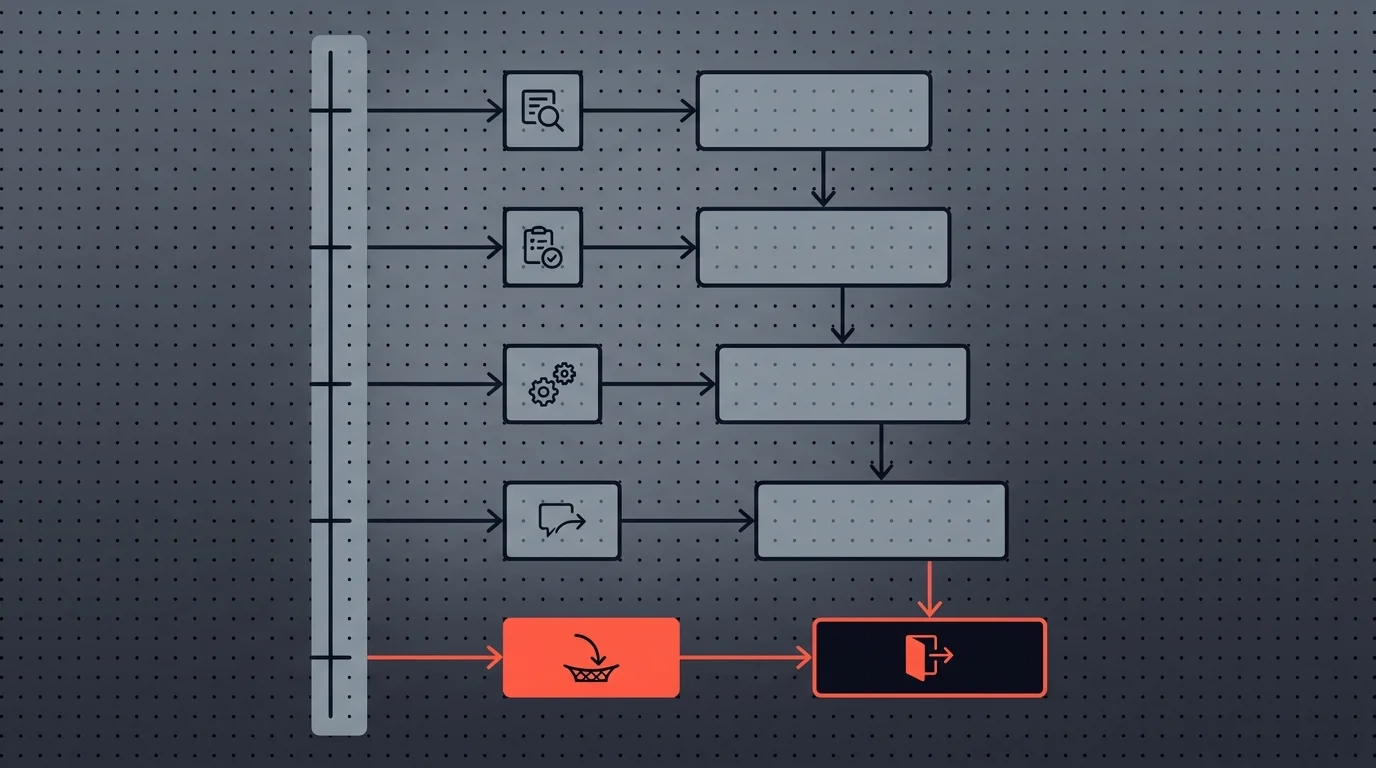
The specific durations vary by use case. Security alerts might escalate in minutes. Contract reviews might take days. But the pattern is always the same: reminder, escalate, escalate again, apply a default action.
If a three-day stuck approval is a story you have lived through, join the early-access list for Humangent. Phase 0 users help prioritize escalation that lives in configuration.
How to Build Escalation in Pure n8n
Can you build this in pure n8n? Yes. The trade-offs are real.
Approach 1: Sequential Send-and-Wait with Branching
Chain multiple Send-and-Wait steps, each with its own timeout:
- Send approval request to Sarah (Send and Wait, 4-hour timeout)
- If approved/rejected -> proceed with the decision
- If timed out -> Send reminder to Sarah (Send and Wait, 20-hour timeout for the remaining window to 24 hours)
- If approved/rejected -> proceed
- If timed out -> Send to Support Team (Send and Wait, 24-hour timeout)
- If approved/rejected -> proceed
- If timed out -> Send to Team Lead (Send and Wait, 24-hour timeout)
- If approved/rejected -> proceed
- If timed out -> Auto-approve, flag for audit
For a three-level escalation, you end up with roughly 15 to 20 nodes. The workflow becomes wide, hard to read, and brittle.
Changing the timeout at one level means recalculating every downstream timeout. Adding a new escalation level means inserting another Send-and-Wait plus If block in the middle of the chain. This is how a refund approval turns into a floor plan.
It works. It also makes future changes slow, because the first task is re-learning your own wiring.
Approach 2: Polling with a Separate Monitor Workflow
An alternative is a separate "escalation monitor" workflow on a cron schedule (say, every 30 minutes). It checks a shared datastore for stale approvals and fires escalation actions based on how long each request has been waiting.
This is more flexible than sequential Wait nodes. But it requires:
- A shared datastore (database, Google Sheet, or n8n's internal data) for state
- Coordination between the approval workflow and the monitor workflow
- Idempotency handling so race conditions do not fire duplicate escalations
- Cleanup logic so completed approvals do not trigger stale alerts
The operational overhead is real. You now maintain two workflows, debug two workflows, and monitor two workflows. And if the monitor workflow itself breaks, stale approvals pile up silently. That is the exact problem you were trying to solve.
The Honest Trade-Off
Both approaches work for teams that need one or two escalation chains and have time to maintain them.
But they share a fundamental issue: you are building infrastructure, not business logic. The hours spent wiring Wait nodes, managing state, and debugging timing issues are hours not spent on the workflows that deliver value. Every new approval workflow that needs escalation means rebuilding the pattern from scratch.
Where Humangent Fits
Building escalation chains in pure n8n works, but it can become 15 to 20 nodes per workflow and brittle to change. That is the specific pain Humangent is designed to solve.
Humangent treats the problem this post walks through as approval control: escalation as configuration outside workflow plumbing.
The product principles:
- Declarative escalation config. You define the chain: reviewer A, then team B, then manager C, with timeouts between each. The platform handles the mechanics. Your n8n workflow stays focused on the Humangent node and the callback.
- A single place reviewers look. Instead of Slack threads and DMs scattered across channels, each reviewer's pending decisions live in their inbox with deadlines visible. The point is to make it hard for a request to disappear.
- Changing the policy without restructuring the workflow. Add an escalation level, shift a timeout, swap a reviewer, update configuration, not 20 nodes of If/Wait logic.
- Dedicated n8n node. The documented Humangent integration is the dedicated node for n8n.
Phase 0 users help prioritize escalation patterns: multi-step sequential, branching by risk threshold, and time-of-day-aware routing. If a specific escalation pattern keeps biting you, that is exactly the input product priorities need.
This is the product model. If the problem in this post matches yours, the waitlist is the best way to shape it.
Timeout Actions Beyond Approve and Reject
One common mistake is assuming the only timeout options are auto-approve and auto-reject. In practice, you need at least four behaviors:
Auto-approve works for low-risk items where the cost of delay exceeds the cost of a wrong approval. An AI-drafted internal status update that nobody objected to within 24 hours? Probably fine to send.
Auto-reject works for time-sensitive items where doing nothing is safer than doing the wrong thing. A large refund request? Better to reject and let the customer re-submit than to auto-approve a significant payout.
Escalate is the right default for important decisions that genuinely need a human. The timeout routes the request to someone with more authority or more availability. A person still makes the call.
Notify and hold is for compliance-heavy environments where automatic actions are unacceptable and silent failures are just as bad. The task stays open, with an alert sent to a monitoring channel so someone knows it needs attention.
The right action depends on business context. A good approval system lets you configure this per workflow or even per individual request. For example: auto-approve refunds under fifty dollars, escalate refunds over fifty dollars.
Best Practices for n8n Approval Timeouts
Use these principles when setting approval timeouts.
Always Set a Timeout
No approval workflow should wait indefinitely. Even a generous timeout, seven days, thirty days, is better than none. An execution that hangs forever is a silent failure waiting to surface at the worst moment. If you are unsure where to start, set 48 hours and adjust based on actual response times.
Match Timeouts to How Long the Business Can Wait
Different approvals have different urgency:
- Minutes to hours: Security alerts, fraud flags, production incidents
- Hours: Customer support escalations, time-sensitive refunds
- One to two days: Purchase orders, content approvals, standard business decisions
- Days to a week: Contract reviews, policy changes, non-urgent compliance items
Set the timeout based on how long the business can actually wait for a decision. Not how long you hope the reviewer will take.
Show the Deadline to the Reviewer
"Please approve this refund" is less effective than "Please approve this refund, if no action by Thursday 2pm, it escalates to the Support Team." Visible deadlines change behavior. People prioritize differently when they know inaction has consequences.
Log Every Timeout Event
Every timeout that fires is a data point. If a specific reviewer consistently times out, they are overloaded or the routing is wrong. If a workflow type consistently times out, the timeout is too short or the wrong people own the process.
Most teams never collect this data because their timeout handling is too ad-hoc to instrument.
Test the Timeout Path Before You Ship
Do not test only the happy path. Timeout bugs hide in the branches nobody clicks during setup: a misconfigured webhook URL, a wrong variable reference, an If node checking the wrong status.
Before going live, set the timeout to one minute, let it fire, and verify that the reminder, escalation, and final action all work correctly. Five minutes of testing saves you from discovering bugs when a real approval times out in production.
Frequently Asked Questions
How do I prevent n8n workflows from getting stuck waiting for approval? Set a timeout on every approval step. Use n8n's Send-and-Wait node with a timeout configured, or combine a Wait node with a parallel branch that fires a fallback action. The key is that no execution should wait indefinitely. A timeout ensures the workflow either escalates, applies a default action, or sends an alert when no one responds.
Can n8n handle multi-level approval escalation natively? n8n leaves escalation to the workflow builder. You can chain multiple Send-and-Wait nodes with If branches, or use a separate polling workflow with a shared datastore. Both approaches work and add significant complexity, typically 15 to 20 nodes for a three-level chain. Humangent addresses that complexity by treating the escalation chain as configuration outside workflow wiring.
What should happen when an approval times out, auto-approve or auto-reject? It depends on the risk profile of the decision. Auto-approve low-risk items where delay costs more than a wrong approval. Auto-reject high-risk or high-value items where doing nothing is safer. For important decisions, escalate to a backup reviewer. For compliance-sensitive workflows, notify and hold: keep the task open and alert a monitoring channel.
Related guides
- Human-in-the-loop for n8n: complete guide — broader HITL context
- How to build an n8n approval workflow — base patterns the timeouts attach to
- Multi-level approval workflows in n8n — escalation chains in depth
- n8n payment and refund approval workflows — escalation that must never auto-approve
If you have been burned by stuck n8n approvals, Humangent is the approval control layer for n8n workflows — every high-risk action gets an owner, deadline, escalation path, decision record, and audit trail before n8n writes into another system. Join the waitlist at humangent.io. Founding-team pricing for waitlist members.
Related Humangent resources
Humangent is for teams using n8n that need approval routing, escalation, multi-level sign-off, editable review fields, and a decision record before a workflow writes into another system.
The core pattern is simple: n8n sends the request, the reviewer sees the context, the reviewer chooses or edits the decision, and n8n resumes from a callback with a record attached. That keeps approval logic out of fragile Slack threads and makes the human decision visible to the team that owns the outcome.
These guides cover where to place human checkpoints, how to handle timeouts, when to route to another reviewer, what to record for audit, and when n8n built-in approval options are enough. The goal is practical workflow control for teams past the prototype stage.
For simple one-reviewer workflows, n8n built-in approval options can be enough. The need for a separate approval control layer shows up when several workflows compete for the same reviewers, when a backup reviewer needs to take over on a deadline, or when the team lead needs to reconstruct the decision after the workflow has already written to another system.
Humangent centers on that team operating model: one reviewer account across workflows, configurable routing, and a decision trail that belongs to the approval process. No scattered execution logs and chat-message archaeology.