Why Every n8n AI Agent Workflow Needs Human Oversight
n8n AI agents act across dozens of tools. Without human approval at key moments, one mistake reaches customers. Here's where to draw the line.
By Iiro Rahkonen on
TL;DR: n8n AI agents are powerful, but every production deployment needs human checkpoints before customer-facing messages, system-of-record writes, and financial actions. Logging catches problems after the fact. Human-in-the-loop prevents them. The overhead is seconds per review. The alternative is hours of damage control.
There is a moment in every n8n AI agent project where everything clicks. You wire an LLM to a few tool nodes, write a system prompt, and watch the agent research a lead, draft a personalized email, and queue it for delivery -- all in one execution. It feels like the future arrived early.
Then you let it run unsupervised for a week.
Somewhere around day four, it sends a prospect an email quoting a pricing tier you discontinued in January. Day six, it overwrites a contact record with a company name the model "corrected" into something that does not exist. Day nine, it classifies a complaint as a refund request, and a downstream workflow processes the refund before anyone notices.
None of these are exotic failures. They are the ordinary ways unsupervised n8n AI agents break once real customer data, real tools, and real money enter the workflow. The technology works. The problem is that "works" and "works without supervision" are not the same thing, and treating them as interchangeable is how teams end up apologizing to customers at midnight.
This post is about where to draw the line between automation and human judgment, why the common workarounds fall short, and how to build oversight that does not cancel out the speed gains you automated for in the first place.
The Autonomy Spectrum: Not Every Action Carries the Same Risk
The mistake most n8n builders make is treating autonomy as binary: either the agent runs free or a human does everything. Neither extreme works in production. It helps to think in four tiers.
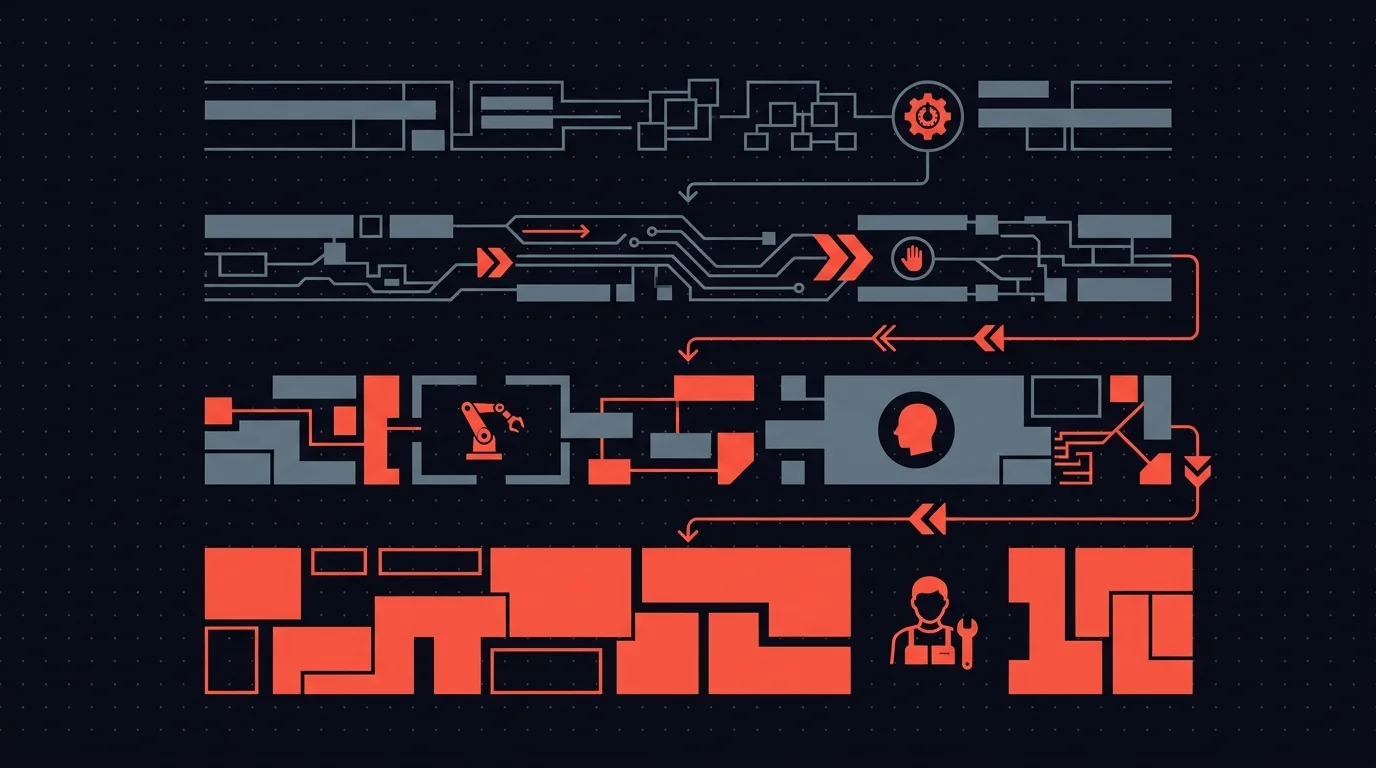
Fully automated. The agent decides and acts. No review. Appropriate for internal logging, data enrichment from trusted APIs, posting status updates to an internal dashboard. Low stakes, easily reversible, no external audience.
Human-on-the-loop. The agent acts, but every action is logged and a human can audit after the fact. Appropriate for low-stakes operations where speed matters and you can fix mistakes retroactively. Think: tagging records, routing internal tickets, updating non-customer-facing fields.
Human-in-the-loop. The agent prepares a recommendation but pauses execution until a human approves, edits, or rejects. Appropriate for anything that touches a customer, writes to a system of record, or involves money. The agent does the work. The human makes the call.
Fully manual. The agent assists -- researching, drafting, summarizing -- but never executes. Appropriate during early testing or for actions where the cost of error is existential.
The right architecture for most production n8n AI workflows is a mix: fully automated for the routine, human-in-the-loop for the consequential. That is not a compromise. It is an engineering decision about where risk lives in your system.
Five Real Failure Modes in n8n AI Agent Workflows
These are not thought experiments. They are specific to how AI agents operate inside n8n, and every one of them has bitten someone running a real workflow.
1. The agent selects the wrong tool
n8n's AI agent node lets you attach multiple tools -- send email, save draft, update CRM, post to Slack. The agent picks which tool to call based on its interpretation of the task. Most of the time it picks correctly. But tool selection is probabilistic, and probability applied to irreversible actions is a bad combination.
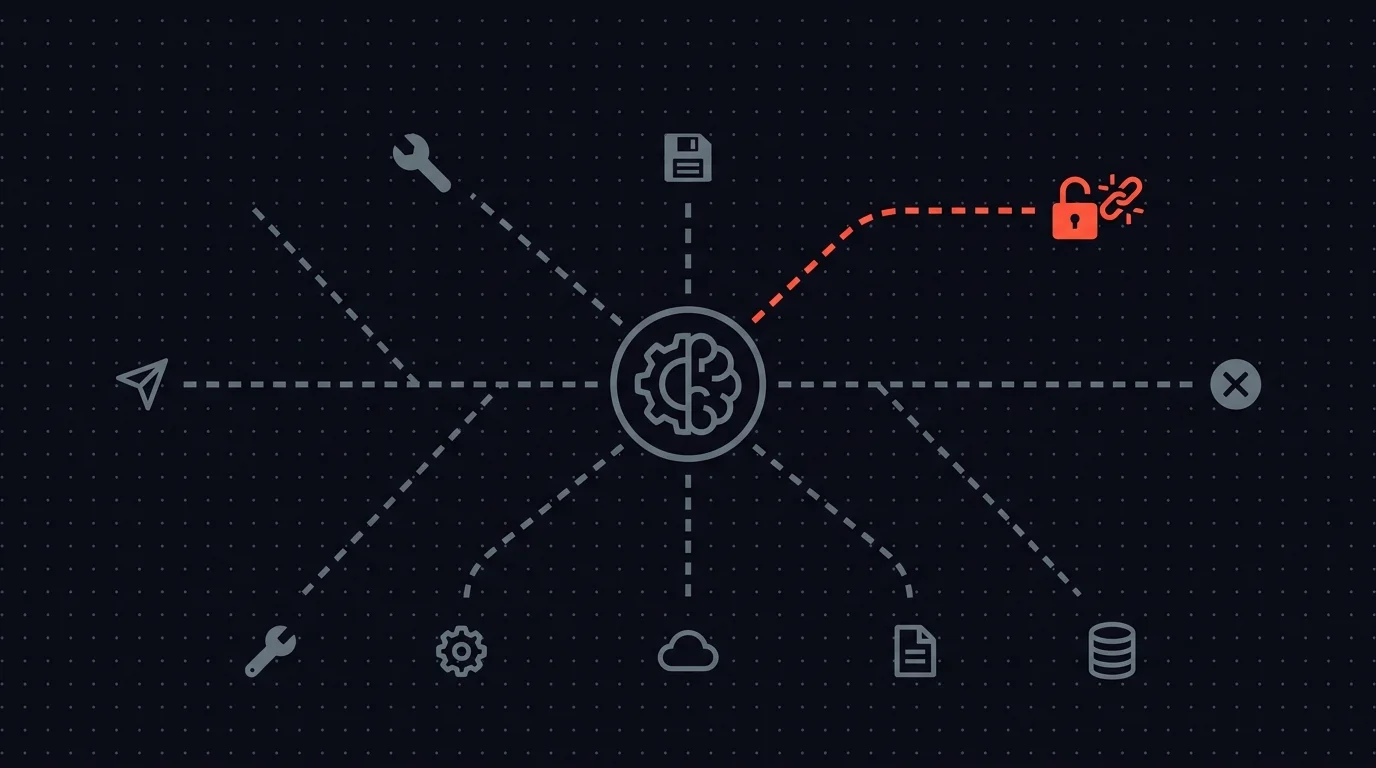
The failure looks like this: the agent interprets an ambiguous instruction and decides "send" when the intent was "save as draft." The email goes out. It contained placeholder text. You find out when the recipient replies confused. There was no confirmation step because you assumed the agent understood the difference. It did -- 95% of the time. The other 5% is your production incident.
2. Hallucinated data reaches a system of record
Everyone understands that LLMs hallucinate. Fewer people think through what hallucination means when the model is connected to a CRM write operation via an HTTP Request node.
It means a contact record updated with a phone number the model invented. A deal amount the model inferred from context that was never stated. A company name the model "corrected" into a plausible-sounding entity that does not exist. The data enters your CRM looking exactly like data entered by a human. Nobody questions it. Your sales team calls the fabricated number. Your finance team invoices the fabricated amount. The error propagates because systems of record are designed to be trusted.
3. The agent misreads tone and context
Your AI agent drafts a follow-up to a customer who just escalated a billing dispute. The agent does not know this customer has been with you for seven years, that they are on a legacy plan you are trying to sunset gracefully, or that the CEO personally handled their last complaint. So the agent produces a competent, generic, thoroughly tone-deaf response. It is not factually wrong. It just treats a relationship-sensitive situation like a first-contact support ticket. The customer feels like they are talking to a machine, because they are.
Context is the hardest thing to encode in a system prompt. It lives in the accumulated judgment of people who know the customer, the history, and the internal politics. No amount of prompt engineering substitutes for that judgment on edge cases.
4. One bad decision cascades through connected systems
This is the failure mode that justifies everything else in this post. In n8n, workflows trigger other workflows. An AI agent miscategorizes a support ticket as "refund requested." That classification triggers a downstream workflow that initiates a refund, updates the accounting ledger, sends a confirmation email to the customer, and notifies the finance team. Four systems are now wrong because of a single classification error.
Each downstream action looks legitimate in isolation -- it followed the correct workflow path, executed successfully, and logged normally. The error is invisible until someone audits the full chain. The cost of one AI mistake in a connected system is not linear. It is multiplicative. Every integrated system amplifies the original error.
5. The agent enters a retry loop and burns resources
n8n AI agents can be configured to retry on failure, which is reasonable for transient errors like network timeouts or rate limits. But when the agent hits a logical dead end -- a tool call that fails for structural reasons -- it retries with slight variations that also fail. And retries again. And again.
Agents can consume hundreds of dollars in API credits in under an hour when they hit an edge case they cannot solve. They have no concept of "this is not working, I should stop."
Without a human circuit breaker, the agent's only directive is "complete the task." It will keep trying until something external stops it.
Why Logging Is Not Enough
The most common objection is: "We log everything. If something goes wrong, we catch it."
Logging tells you what happened. It does not prevent what is about to happen.
By the time you read the log entry that says "Email sent to customer@example.com, subject: Your refund has been processed," the email is sent. The customer read it. They expect a refund. Your support team is handling the fallout. Your logs recorded the incident perfectly. They just did not stop it.
Monitoring and alerting improve on raw logs, but they operate on the same principle: detect and react. The damage window -- the gap between the AI acting and a human noticing -- can be minutes, hours, or days depending on the action and your alerting setup. For a wrong email, the damage is done in seconds. For bad CRM data, the damage compounds silently for weeks.
Human-in-the-loop eliminates the damage window for the actions that matter. The AI proposes. The human decides. The bad action never fires.
Where to Insert Human Checkpoints in Your n8n Workflows
Requiring approval for every action defeats the purpose of automation. The goal is surgical: identify the points where an unchecked AI decision causes disproportionate harm, and insert a human checkpoint there.
Use this framework to decide where human checkpoints belong.
Before any customer-facing communication. Emails, chat replies, SMS, support responses -- anything that reaches a person outside your organization. The reputational cost of one bad message always exceeds the 20 seconds it takes a reviewer to approve or edit it.
Before writing to a system of record. CRM updates, ERP entries, database writes. These are your source of truth. When they contain bad data, every report, dashboard, and downstream decision built on top of them is also wrong. The AI should propose changes. A human should confirm them.
Before financial actions. Invoicing, payment processing, refund initiation, billing modifications. A workflow that auto-processes refunds based on AI ticket classification is an unreviewed financial transaction.
Before irreversible operations. Deleting records, sending notifications, changing permissions, modifying account settings. If you cannot reverse it with another API call, it needs a human checkpoint.
At low-confidence decision points. If your agent integration surfaces confidence scores, route low-confidence decisions to a human. Let the agent handle the 80% it is certain about. Route the ambiguous 20% to someone with judgment.
The pattern: higher stakes and lower reversibility mean more need for a human in the loop.
The Cost of Oversight vs. the Cost of Mistakes
The argument against human-in-the-loop always centers on speed. "We automated to go faster. Approval steps slow everything down."
Run the numbers.
A reviewer takes 15 to 30 seconds to approve a well-structured request. Call it 30 seconds average. For a team processing 50 AI decisions per day, that is 25 minutes of total review time.
Now consider the cost of one unreviewed mistake. A wrong customer email: 20 to 40 minutes of support staff time handling the confusion, plus reputational damage you cannot put a number on. Bad CRM data: potentially days to identify, audit, and correct, plus every decision made on that data in the interim. An incorrect financial transaction: the transaction amount, reversal fees, accounting cleanup, and possible compliance exposure.
Twenty-five minutes of structured daily review versus one incident that consumes a full day of cleanup. The math is not close.
But there is a subtler cost that matters more: trust erosion. Every time an AI agent makes a visible mistake, the organization loses confidence in automation. People start manually spot-checking everything the AI does -- informally, inconsistently, without tooling. You end up with human oversight anyway, but the worst kind: ad hoc, invisible, and unreliable.
Structured oversight is always cheaper than unstructured oversight. You are going to have human review either way. The question is whether it is designed into the system or happening in scattered Slack threads and email forwards.
Making Oversight Practical at Scale
If human-in-the-loop means a Slack message that sits unread in a busy channel with a thumbs-up emoji to approve, you have not solved the problem. You have relocated it.
Practical oversight needs five things.
Routing to the right person. Not every approval goes to the same channel. A customer email should route to the account manager. A CRM update should go to the rep who owns the record. A financial action should go to someone with signing authority.
Context alongside the action. "Approve this email?" is not reviewable. "Approve this email to sarah@acme.com -- 7-year customer, top-tier plan, last interaction was a billing escalation 3 days ago. Here is the draft and here is what the AI based it on." That is reviewable.
Timeouts and escalation. What happens when the reviewer does not respond? The request should not sit in a queue indefinitely. Escalate to a backup reviewer. Route to a manager. Take a configured safe default. Handle the case where the human does not show up.
Actions beyond approve and reject. Sometimes the right answer is "approve with edits" -- fix the subject line, adjust the refund amount, add a note to the CRM update. Binary approve/reject forces reviewers to either accept imperfect output or reject and restart from scratch.
Independence from n8n. Reviewers are not workflow builders. They should not need an n8n login, knowledge of execution history, or familiarity with webhook terminology. They need a clean interface showing what needs attention and how to act on it.
n8n's built-in Send-and-Wait node handles simple single-reviewer cases. Once approval workflows span multiple agents, reviewers, and escalation paths, you need centralized tooling.
Humangent is the approval control layer for n8n workflows. n8n runs the automation. Humangent manages the human decision before the workflow writes into another system: routing, escalation, editable fields, and the audit trail that become necessary as you scale past a handful of workflows. These five requirements are the product model.
Oversight Gets More Important as Agents Get More Capable
There is a popular assumption that human oversight is temporary -- training wheels you remove once AI gets good enough. The opposite is more useful.
As models improve, the decisions they are trusted with become higher-stakes. The agent that drafts passable emails today will negotiate contract terms next quarter. The agent that enriches CRM fields today will make lead-scoring decisions that drive pipeline allocation. More capability means more surface area for consequential mistakes. Better AI does not need less oversight. It needs oversight applied more precisely.
Every other system that makes consequential decisions has verification built in. Financial transactions have approval hierarchies. Code changes have pull request reviews. Medical diagnoses have second opinions. We do not call those systems immature because they include human checkpoints. We call them production-grade.
AI agent workflows should meet the same standard.
Questions and Answers
Does human-in-the-loop defeat the purpose of automation? No. The agent still does the research, drafting, classification, and preparation. A human spends 15 to 30 seconds reviewing the output; doing the work from scratch takes 15 to 30 minutes. You keep 90%+ of the time savings while eliminating the highest-cost failure modes.
Where should I add human review first? Start with the single action in your workflow that would cause the most damage if the AI got it wrong. Usually that is a customer-facing email or a write to your CRM. Add one checkpoint, measure the review latency, and expand from there.
Can I use n8n's built-in Send-and-Wait for human-in-the-loop? For a single workflow with a known reviewer, yes -- and it covers more than people assume. Send-and-Wait runs on Slack, Gmail, Teams, Telegram, Discord, WhatsApp, and Chat. It supports Approval, Free Text, and Custom Form responses.
When you need centralized visibility across multiple workflows, multi-step escalation, reviewer accounts where each person picks their own delivery channel, or an audit trail of who saw and edited what, you want an approval control layer. That is Humangent.
How do I prevent approval steps from becoming a bottleneck? Route to a specific reviewer. Set timeouts with automatic escalation. Provide enough context that the reviewer can decide in seconds. Measure actual review times -- most teams find it is 15 to 30 seconds per request.
Will AI eventually be good enough to skip human review? For low-stakes, reversible actions, many AI agents are already reliable enough to run autonomously. For customer-facing communication, financial transactions, and writes to systems of record, human verification will remain necessary for the foreseeable future. The stakes of those actions are too high and the cost of review is too low to justify removing the checkpoint.
Related guides
- Human-in-the-loop for n8n: complete guide — practical implementation and decision framework
- n8n guardrails vs human-in-the-loop — automated rule checks vs human judgment
- Audit trails for n8n AI agents — proving the oversight existed
If your AI agents are touching customer-facing actions, CRM data, support systems, billing, or internal databases, Humangent is the approval control layer for n8n workflows — every high-risk action gets an owner, deadline, decision record, and audit trail before n8n writes into another system. Join the waitlist at humangent.io. Founding-team pricing for waitlist members.
Add the human. Keep the loop. Ship with confidence.
Related Humangent resources
Humangent is for teams using n8n that need approval routing, escalation, multi-level sign-off, editable review fields, and a decision record before a workflow writes into another system.
The core pattern is simple: n8n sends the request, the reviewer sees the context, the reviewer chooses or edits the decision, and n8n resumes from a callback with a record attached. That keeps approval logic out of fragile Slack threads and makes the human decision visible to the team that owns the outcome.
These guides cover where to place human checkpoints, how to handle timeouts, when to route to another reviewer, what to record for audit, and when n8n built-in approval options are enough. The goal is practical workflow control for teams past the prototype stage.
For simple one-reviewer workflows, n8n built-in approval options can be enough. The need for a separate approval control layer shows up when several workflows compete for the same reviewers, when a backup reviewer needs to take over on a deadline, or when the team lead needs to reconstruct the decision after the workflow has already written to another system.
Humangent centers on that team operating model: one reviewer account across workflows, configurable routing, and a decision trail that belongs to the approval process. No scattered execution logs and chat-message archaeology.